Visually exploring high-dimensional market segmentation data
High-dimensional visualisation

Tours of high-dimensional data are like examining the shadows (projections)
(and slices/sections to see through a shadow)
High-dimensions in statistics
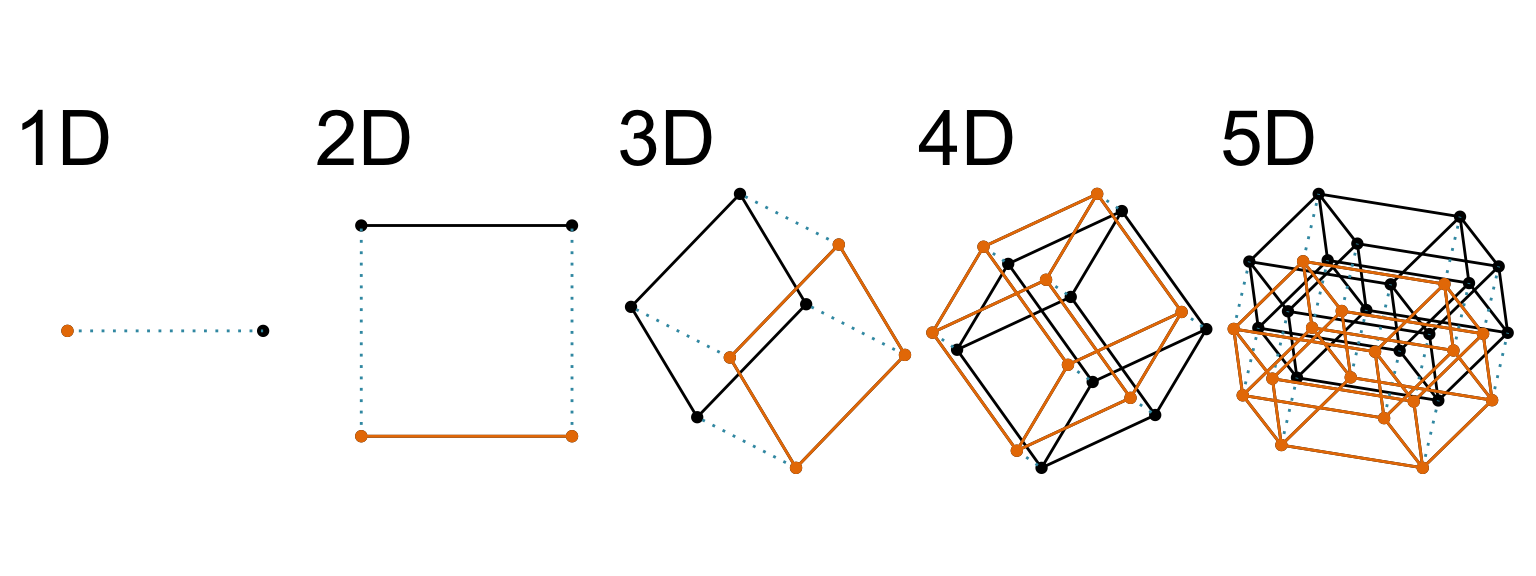
Increasing dimension adds an additional orthogonal axis.
If you want more high-dimensional shapes there is an R package, geozoo, which will generate cubes, spheres, simplices, mobius strips, torii, boy surface, klein bottles, cones, various polytopes, …
And read or watch Flatland: A Romance of Many Dimensions (1884) Edwin Abbott.
High-dimensional visualisation
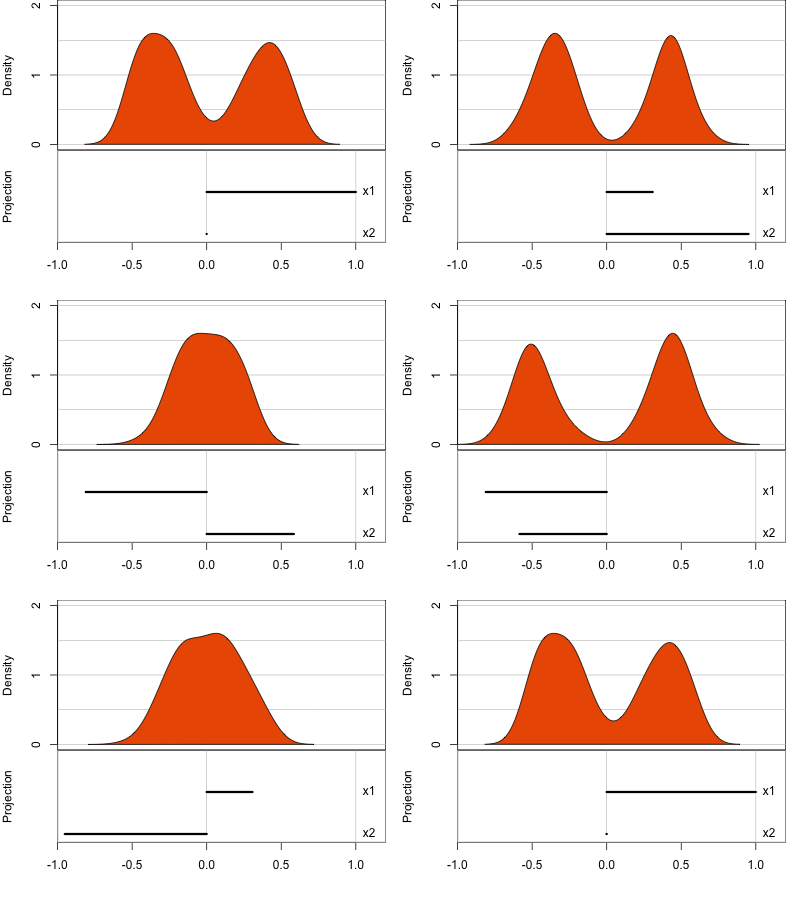
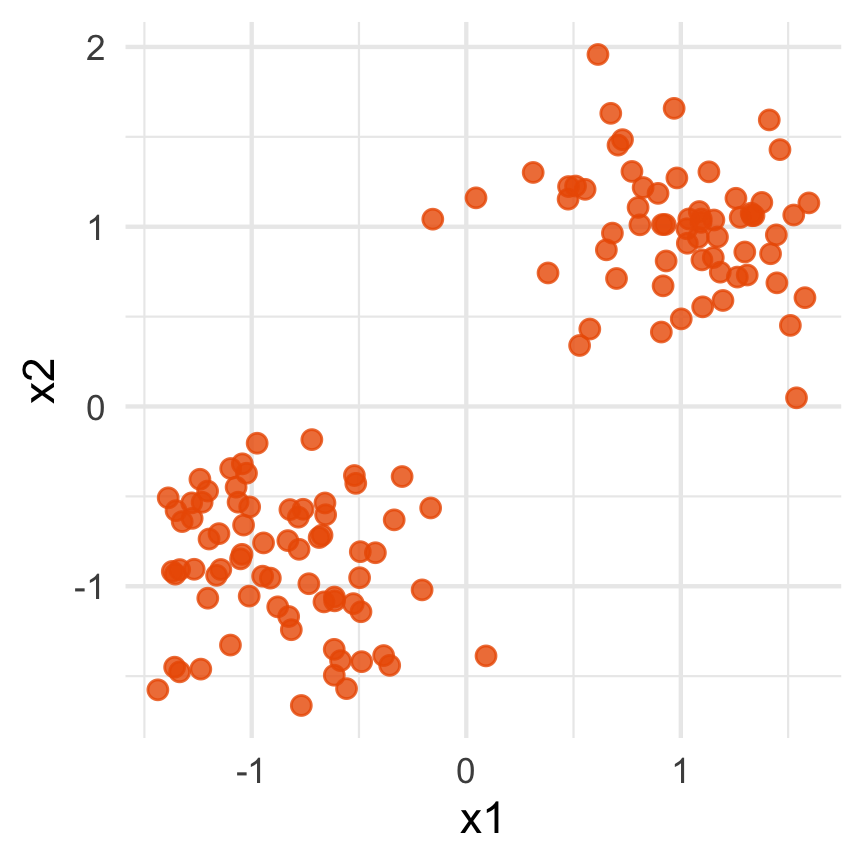
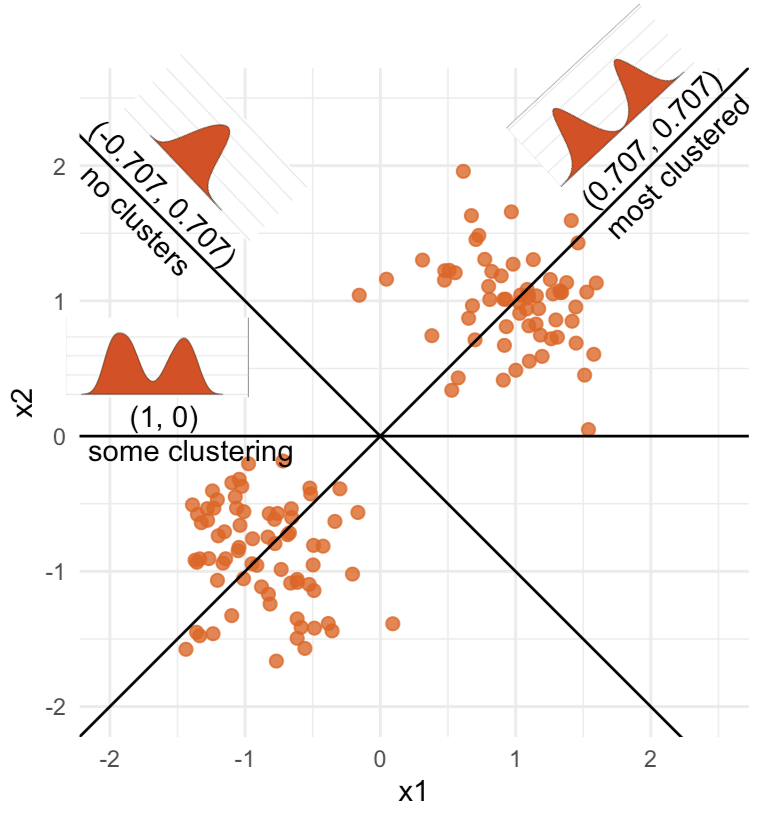
Data is 2D:
Projection is 1D:
Notice that the values of change between (-1, 1). All possible values being shown during the tour.
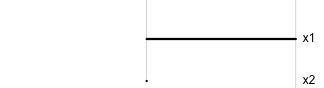
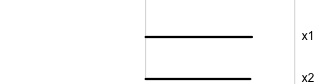
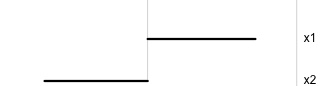
watching the 1D shadows we can see:
- unimodality
- bimodality, there are two clusters.
What does the 2D data look like? Can you sketch it?
High-dimensional visualisation
⟵
The 2D data
High-dimensional visualisation
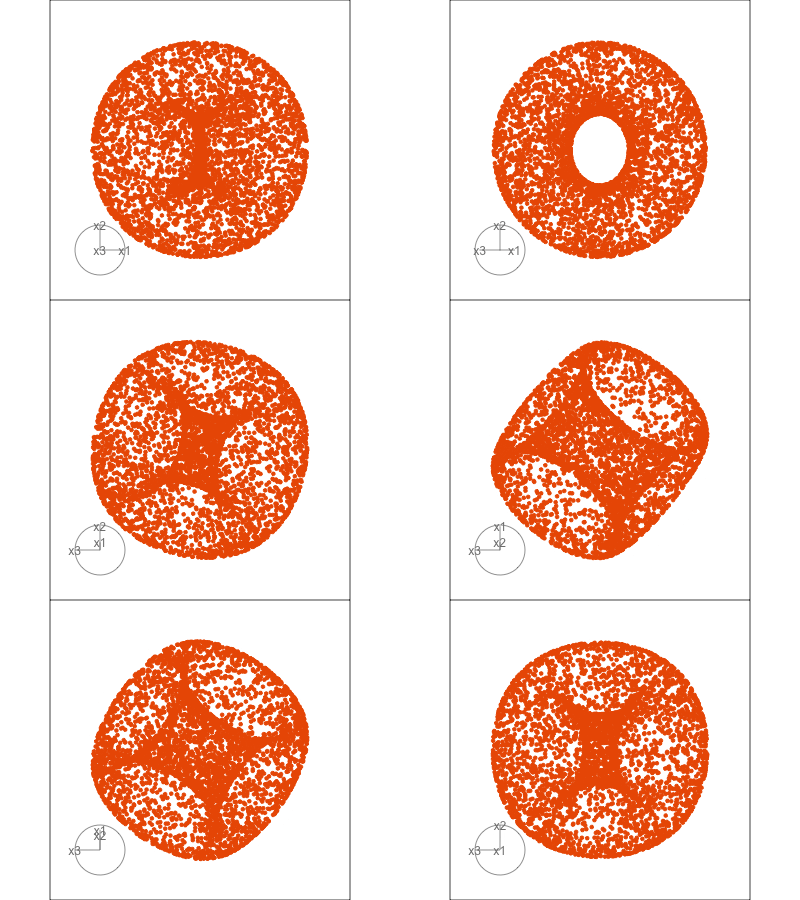
Data is 3D:
Projection is 2D:
Notice that the values of change between (-1, 1). All possible values being shown during the tour.
See:
- circular shapes
- some transparency, reveals middle
- hole in in some projections
- no clustering
High-dimensional visualisation
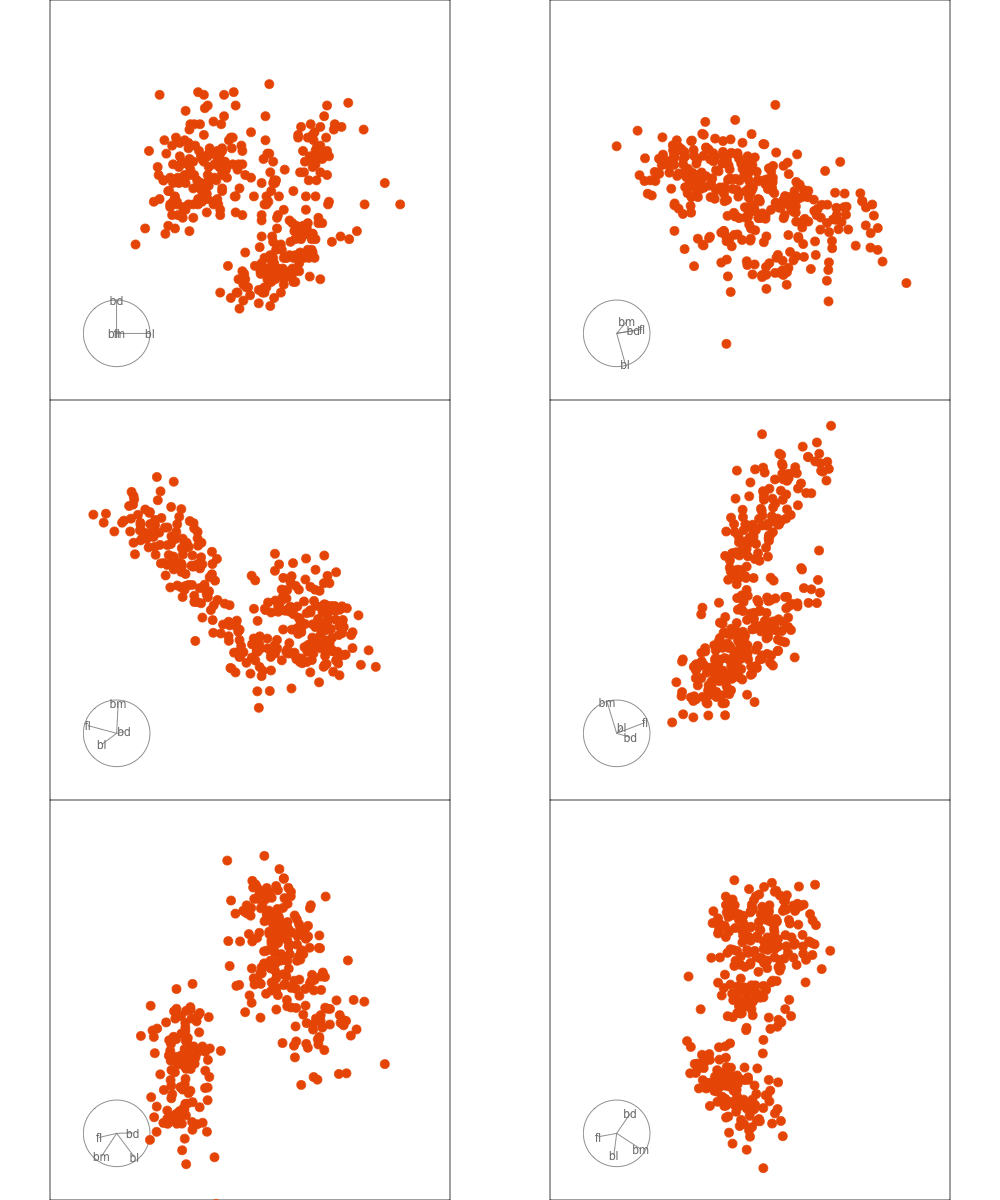
Data is 4D:
Projection is 2D:
How many clusters do you see?
- three, right?
- one separated, and two very close,
- and they each have an elliptical shape.
- do you also see an outlier or two?
Early tour algorithms
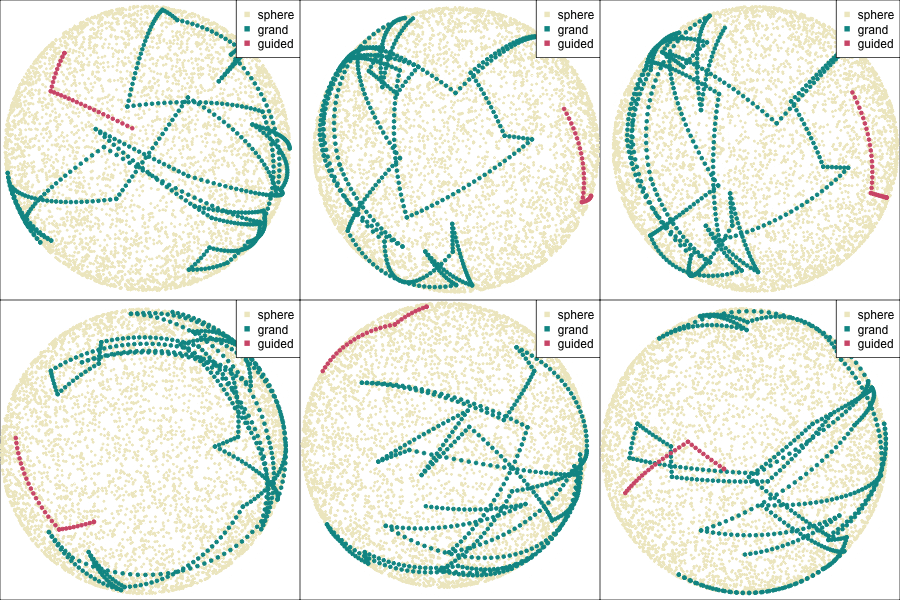
1D paths in 3D space
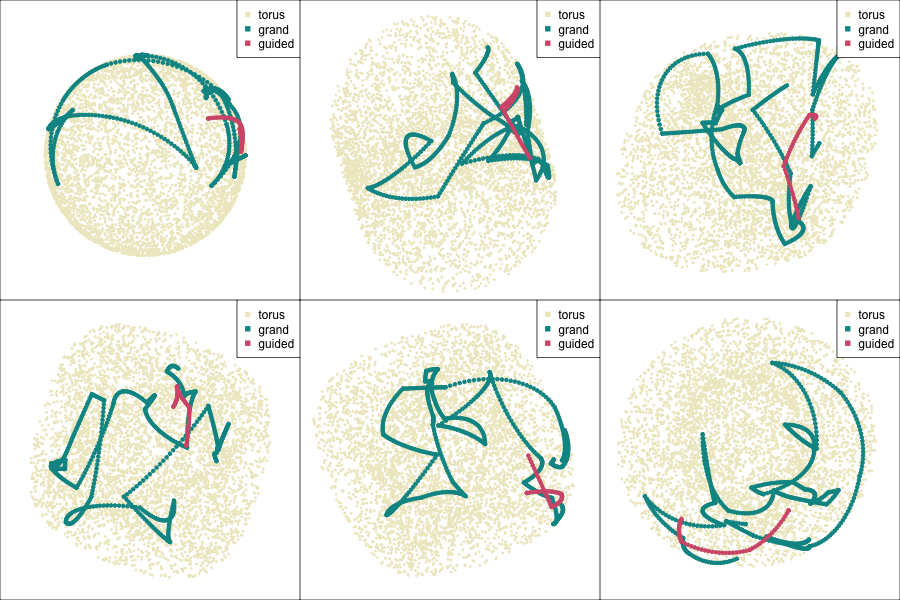
2D paths in 3D space
Early tour algorithms
Grand tour: see from all sides
Guided tour: Steer towards the most interesting features.
Why? (Three cluster data)
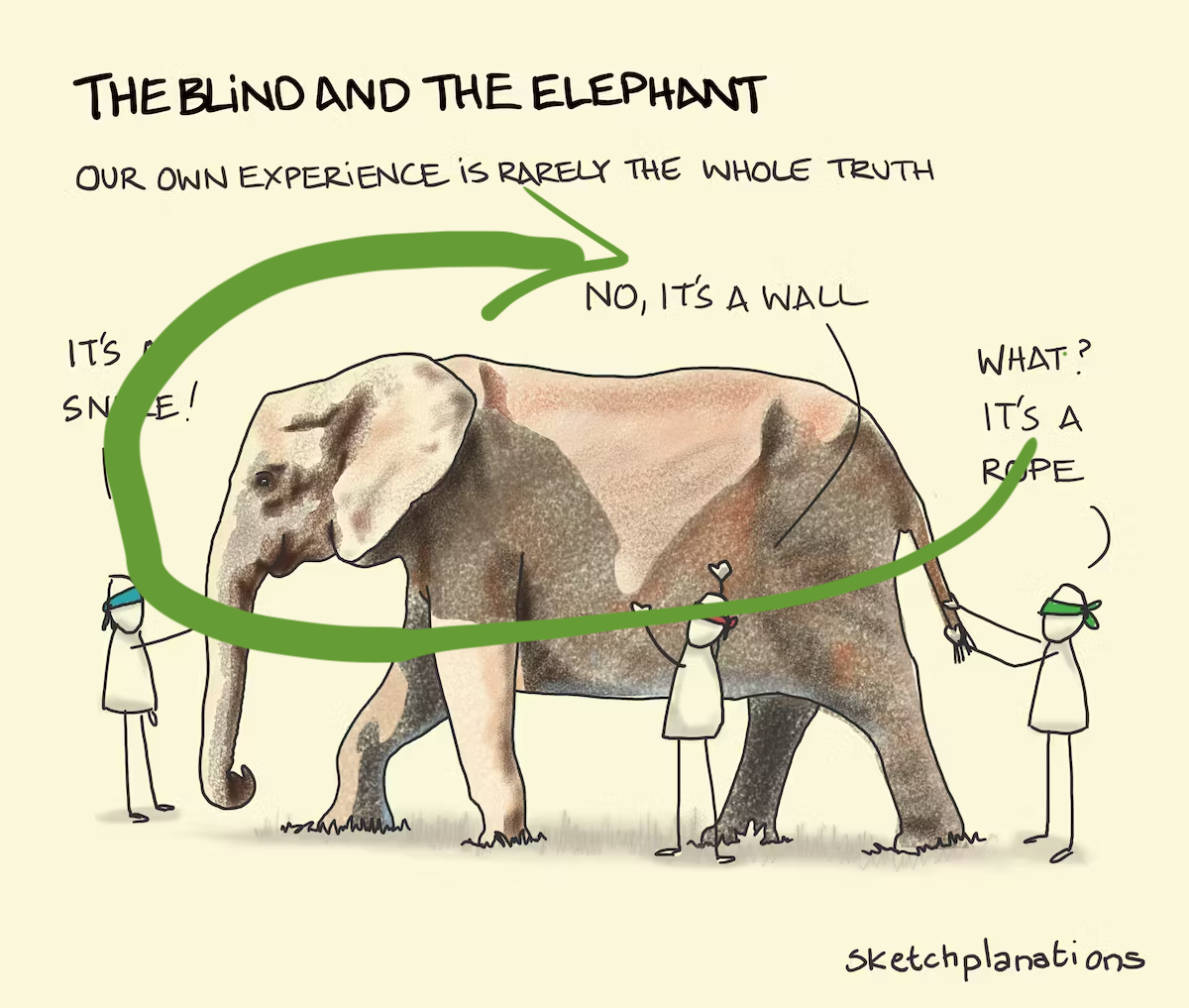
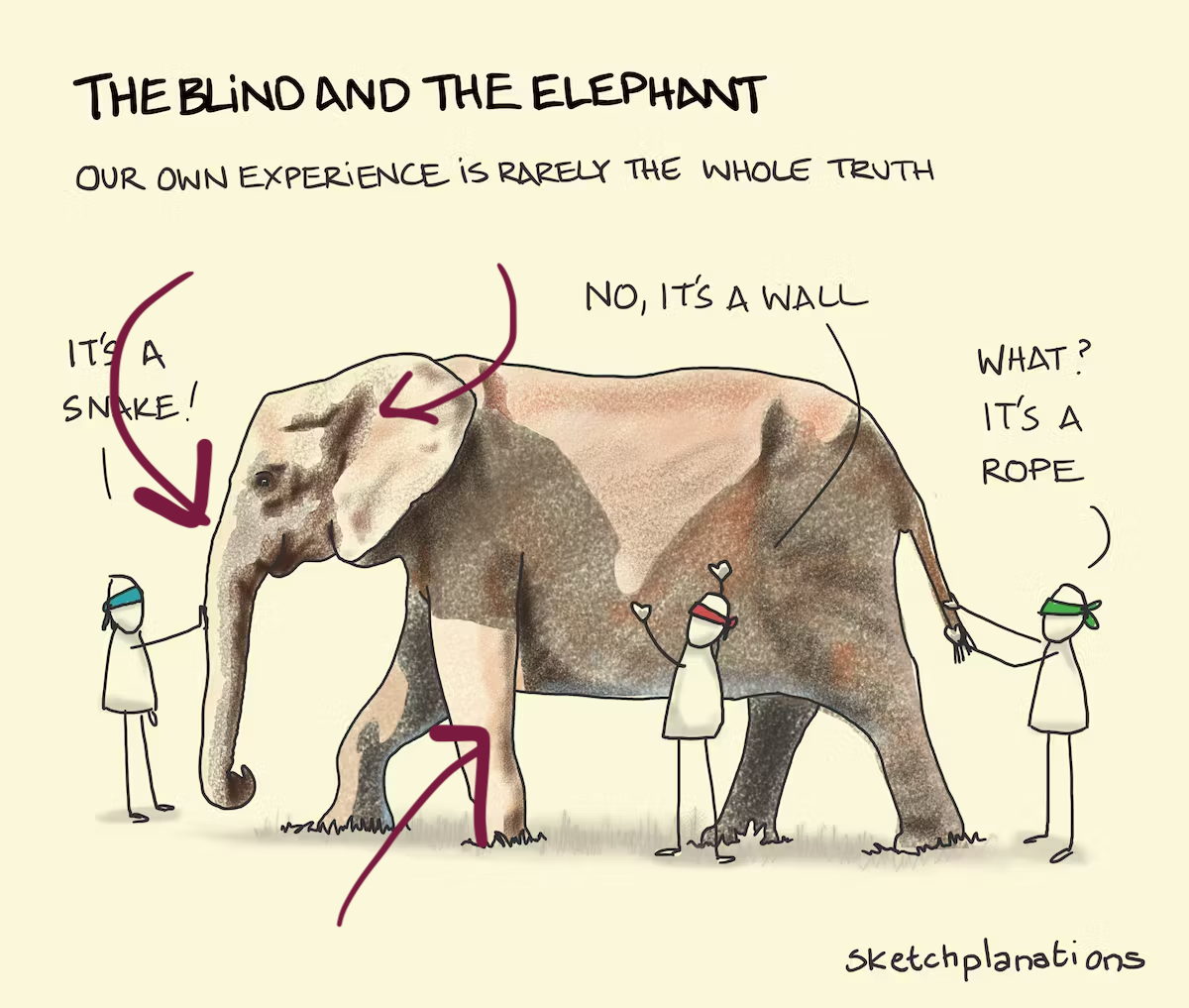
Avoid being a blind man inspecting the elephant
Principal component analysis
Code
p_pca <- prcomp(penguins_sub[,1:4])
autoplot(p_pca, loadings = TRUE,
         loadings.label = TRUE) +
  theme(aspect.ratio=1)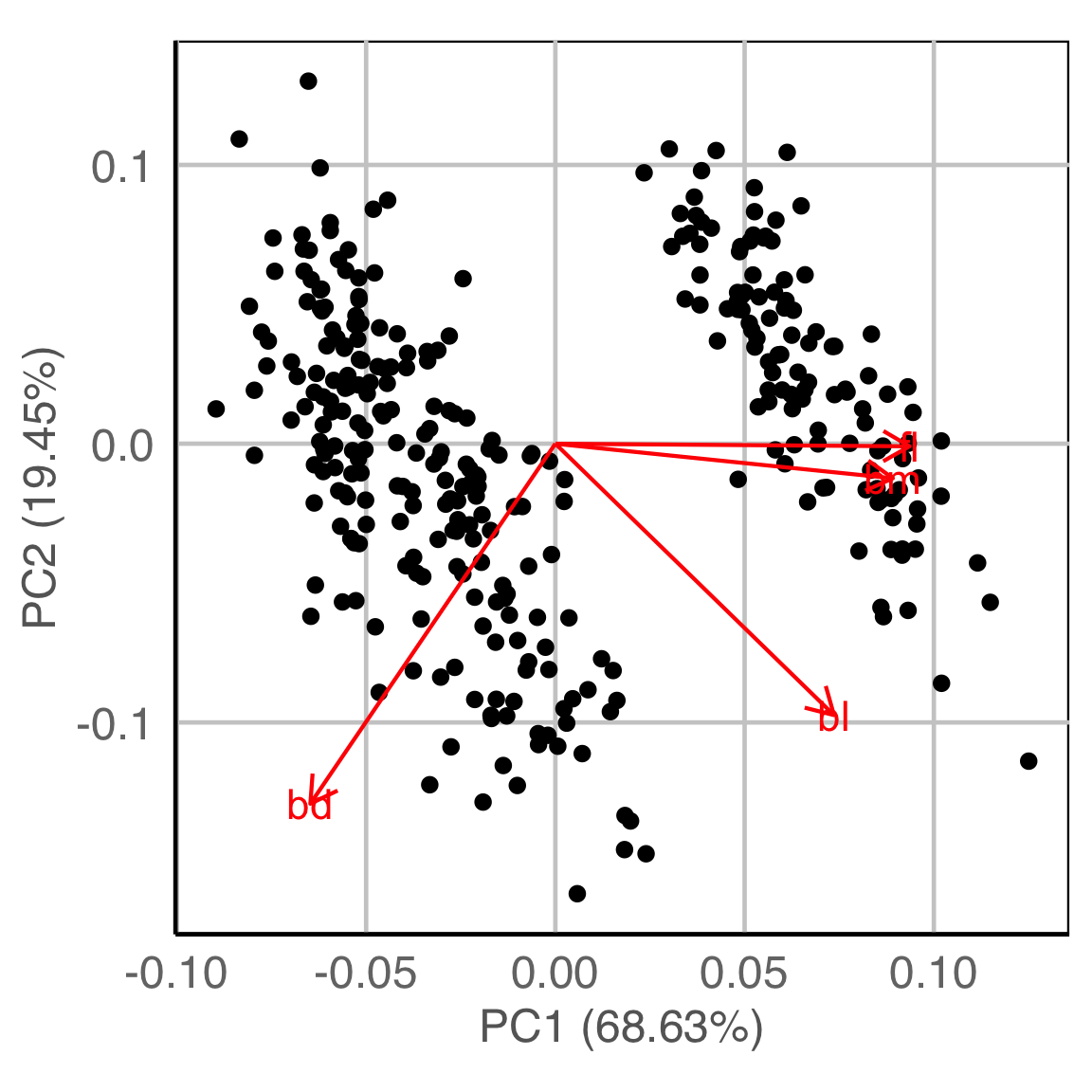
NLDR: t-Stochastic neighbourhood embedding
Code
set.seed(2022)
p_tsne <- Rtsne::Rtsne(penguins_sub[,1:4])
p_tsne_df <- data.frame(tsneX = p_tsne$Y[, 1], tsneY = p_tsne$Y[, 2])
ggplot(p_tsne_df, aes(x=tsneX, y=tsneY)) +
  geom_point() +
  theme(aspect.ratio=1)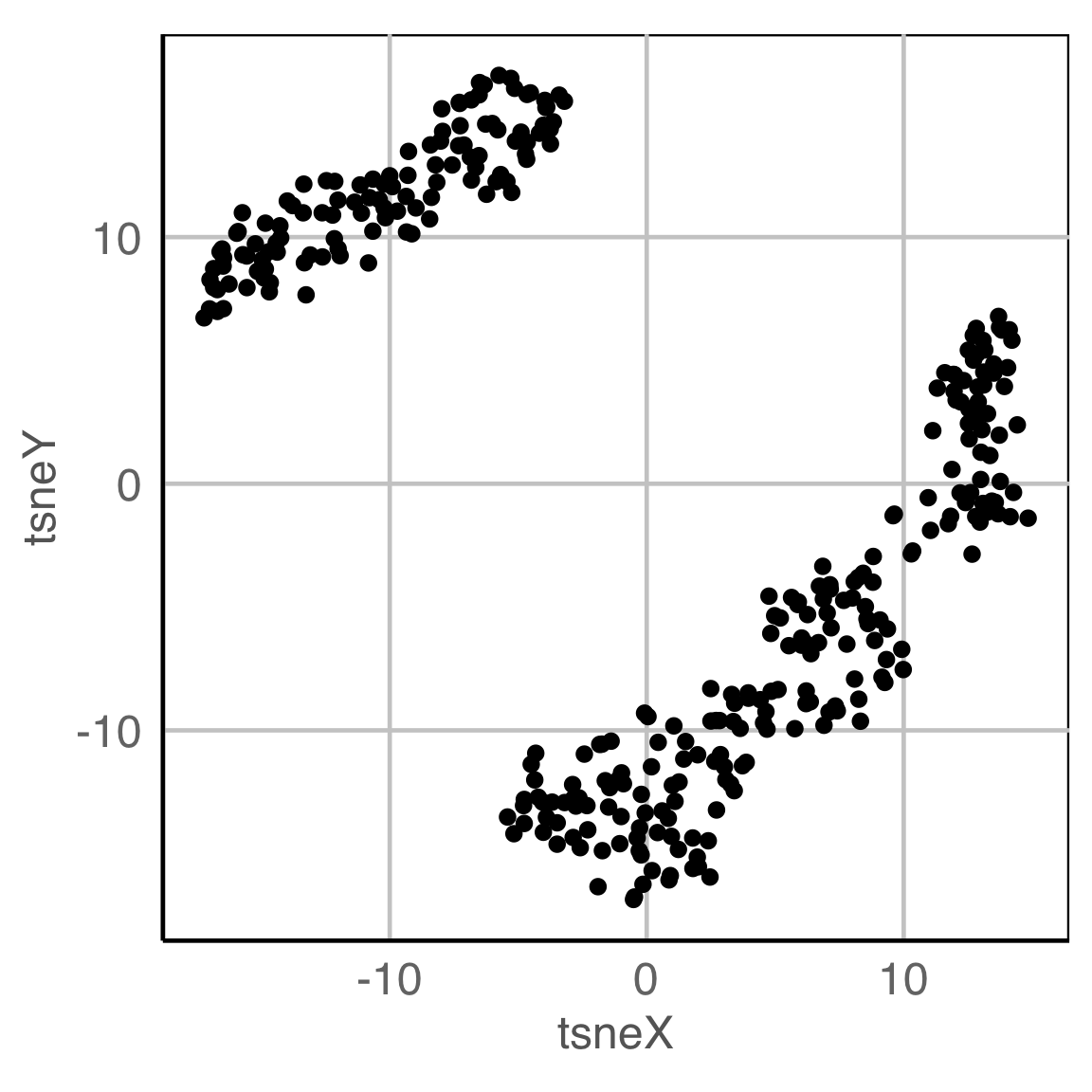
Philosophy: Model in the data space (1/2)
Data in the model space 1
Code
p_pca <- prcomp(penguins_sub[,1:4])
autoplot(p_pca, loadings = TRUE,
         loadings.label = TRUE) +
  theme(aspect.ratio=1)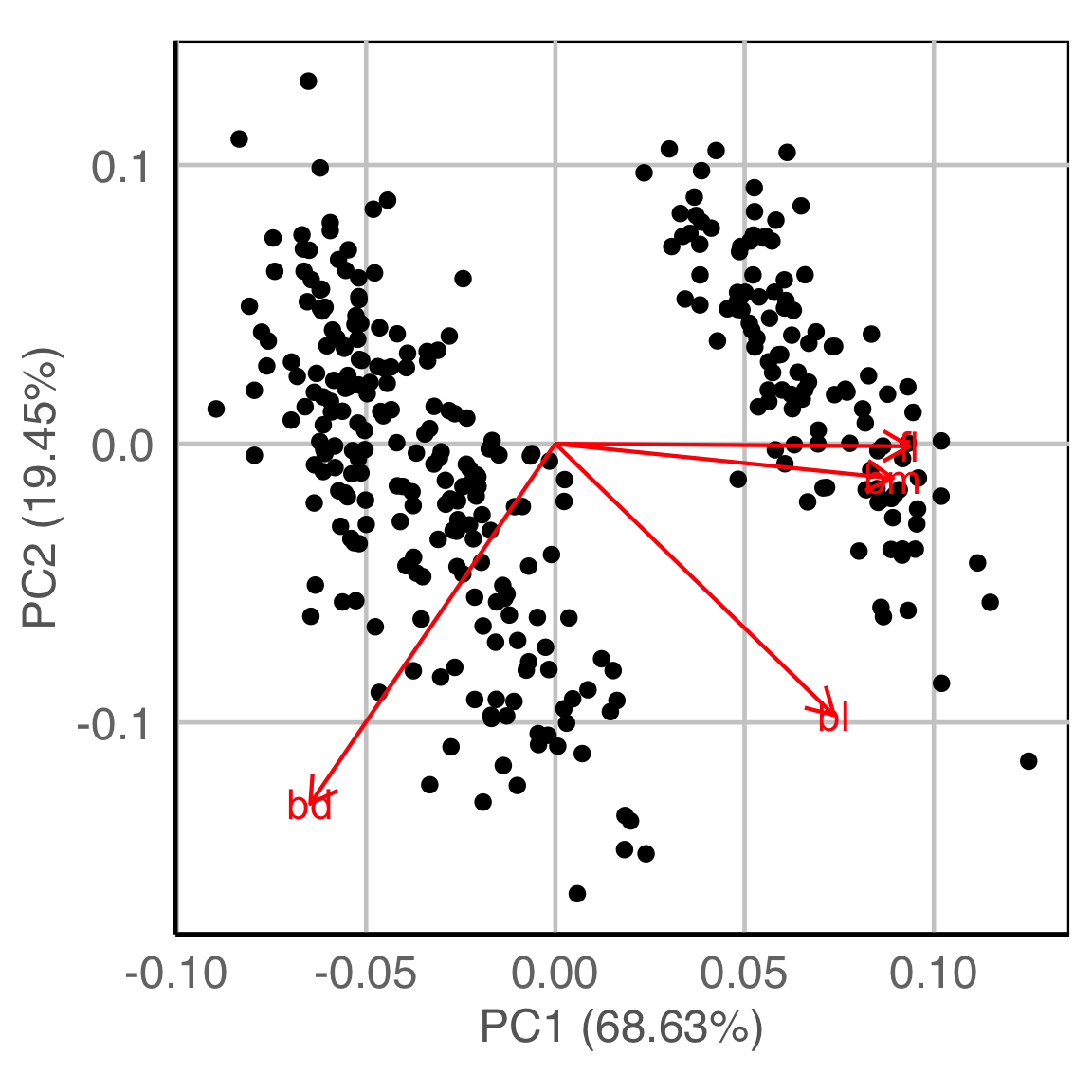
Model in the data space
Code
library(mulgar)

p_pca_m <- pca_model(p_pca, s=2.2)
p_pca_m_d <- rbind(p_pca_m$points, penguins_sub[,1:4])
animate_xy(p_pca_m_d, edges=p_pca_m$edges,
           axes="bottomleft",
           edges.col="#E7950F",
           edges.width=3)
render_gif(p_pca_m_d,
           grand_tour(),
           display_xy(half_range=4.2,
                      edges=p_pca_m$edges,
                      edges.col="#E7950F",
                      edges.width=3),
           gif_file="gifs/p_pca_model.gif",
           frames=500,
           width=400,
           height=400,
           loop=FALSE)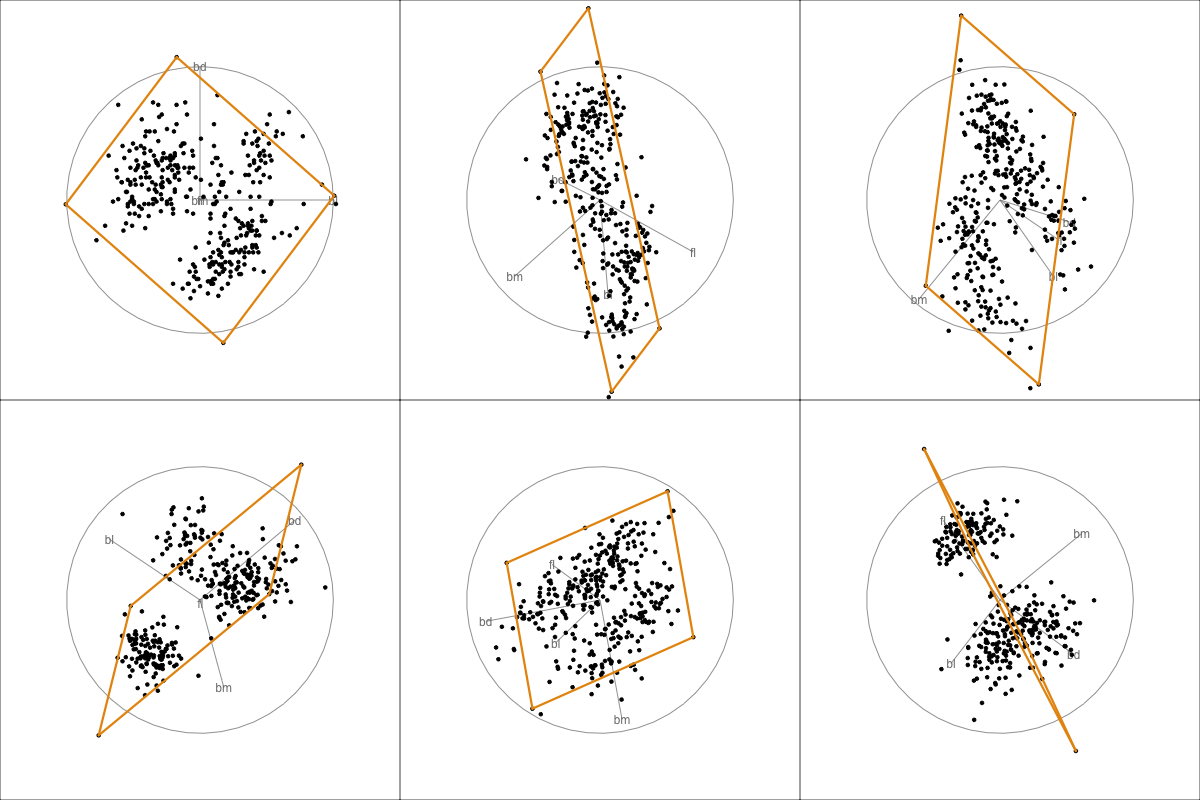
Philosophy: Model in the data space (2/2)
Data in the model space
Code
set.seed(2022)
p_tsne <- Rtsne::Rtsne(penguins_sub[,1:4])
p_tsne_df <- data.frame(tsneX = p_tsne$Y[, 1], tsneY = p_tsne$Y[, 2])
ggplot(p_tsne_df, aes(x=tsneX, y=tsneY)) +
  geom_point() +
  theme(aspect.ratio=1)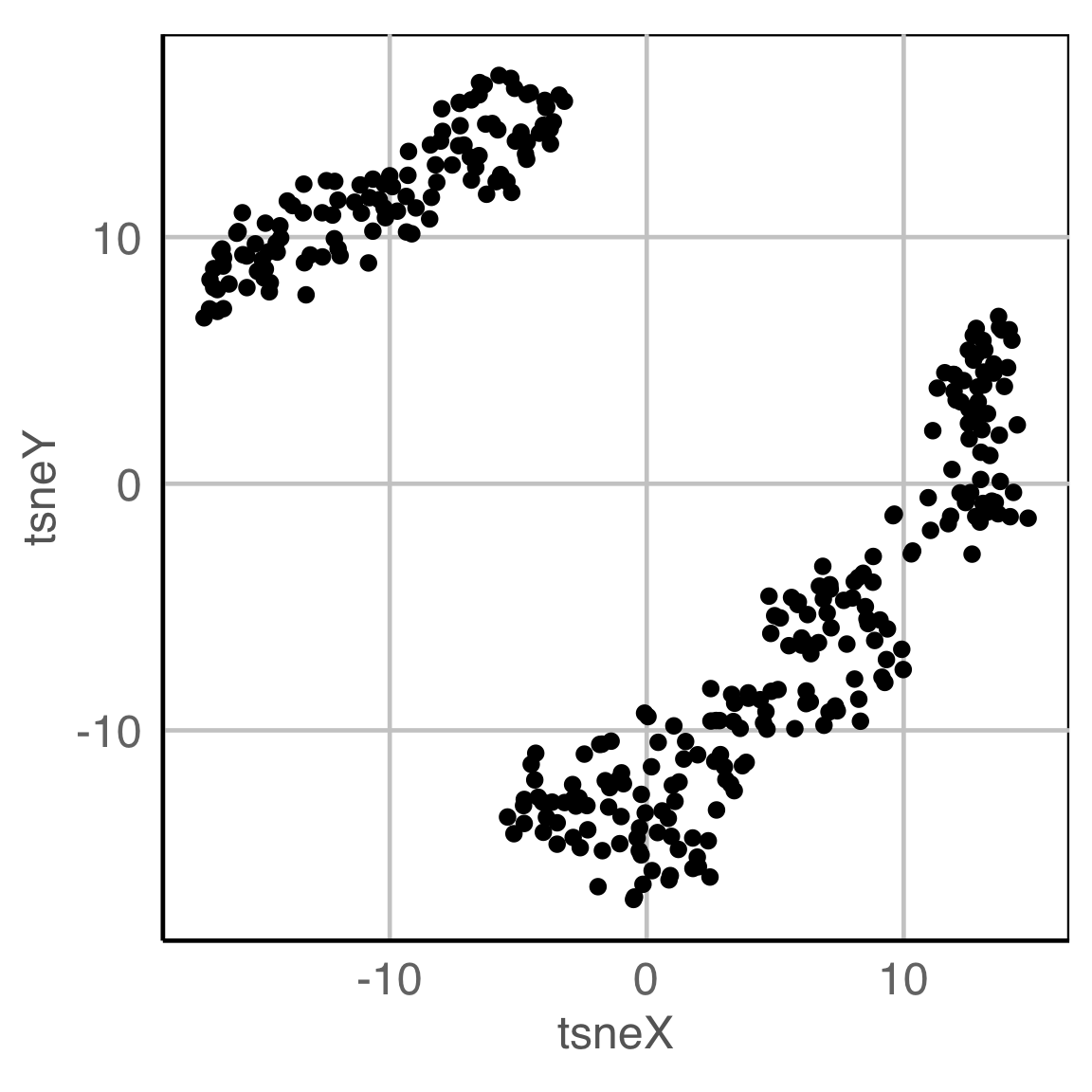
Model in the data space
???
Stay tuned for new work to appear later this year
Hiding in high-d (1/2)
Code
library(tidyverse)
library(tourr)
library(GGally)
set.seed(946)
d <- tibble(x1=runif(200, -1, 1),
            x2=runif(200, -1, 1),
            x3=runif(200, -1, 1))
d <- d %>%
  mutate(x4 = x3 + runif(200, -0.1, 0.1))
d <- bind_rows(d, c(x1=0, x2=0, x3=-0.5, x4=0.5))

d_r <- d %>%
  mutate(x1 = cos(pi/6)*x1 + sin(pi/6)*x3,
         x3 = -sin(pi/6)*x1 + cos(pi/6)*x3,
         x2 = cos(pi/6)*x2 + sin(pi/6)*x4,
         x4 = -sin(pi/6)*x2 + cos(pi/6)*x4)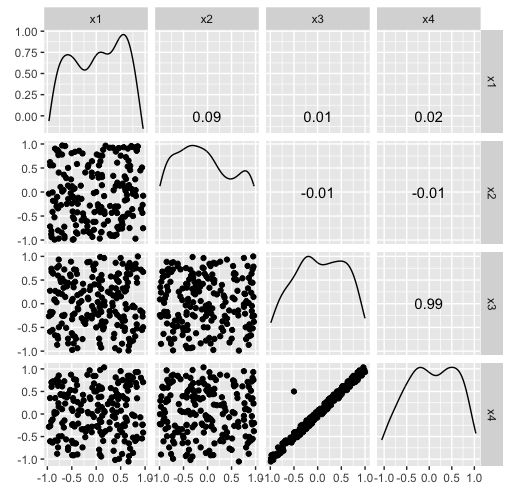
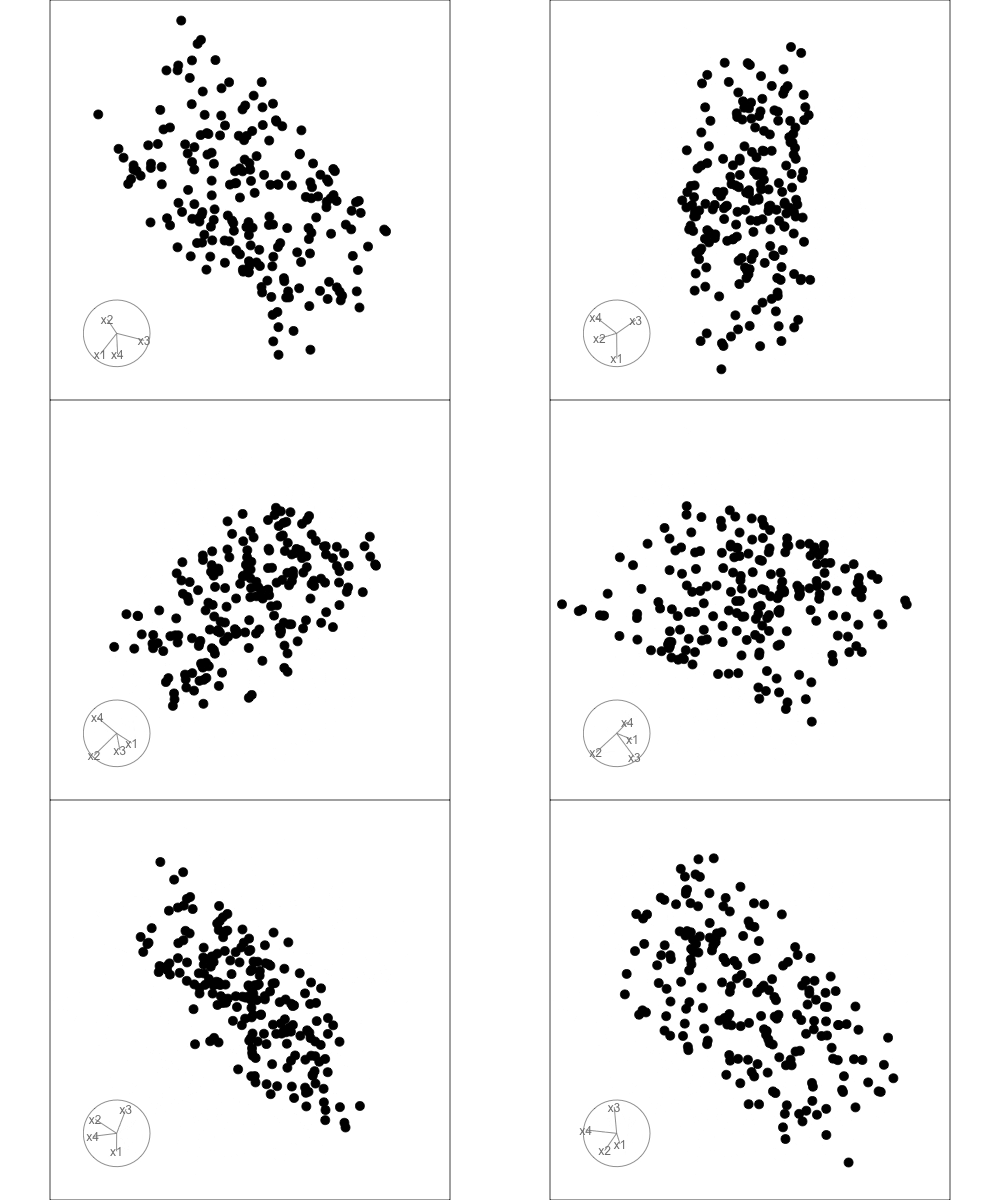
Hiding in high-d (2/2)
Code
library(tidyverse)
library(tourr)
library(GGally)
set.seed(946)
d <- tibble(x1=runif(200, -1, 1),
            x2=runif(200, -1, 1),
            x3=runif(200, -1, 1))
d <- d %>%
  mutate(x4 = x3 + runif(200, -0.1, 0.1))
d <- bind_rows(d, c(x1=0, x2=0, x3=-0.5, x4=0.5))

d_r <- d %>%
  mutate(x1 = cos(pi/6)*x1 + sin(pi/6)*x3,
         x3 = -sin(pi/6)*x1 + cos(pi/6)*x3,
         x2 = cos(pi/6)*x2 + sin(pi/6)*x4,
         x4 = -sin(pi/6)*x2 + cos(pi/6)*x4)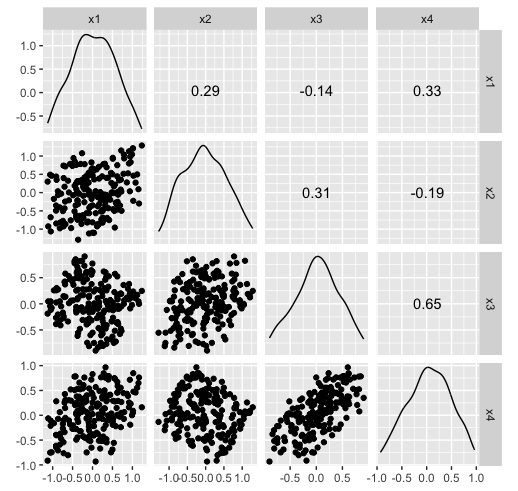
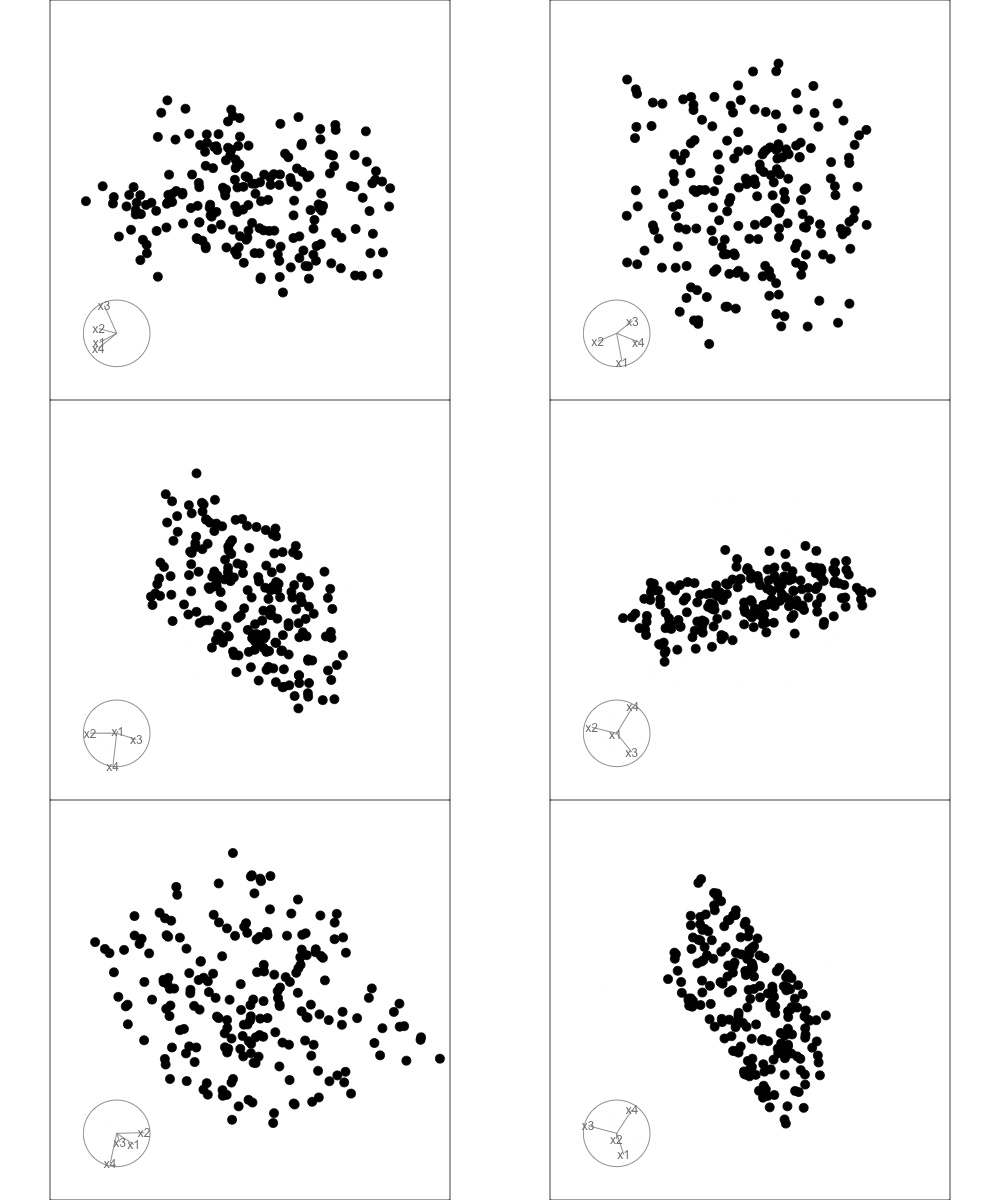
Algorithms in the tourr package

Movement
- choice of target planes
- grand: random
- guided: objective function
- local: nearby
- little: marginals
- manual/radial: specific variable
- interpolation between them
- geodesic: plane to plane
- Givens: frame/basis to frame/basis
Display
How should you plot your projected data?
- 1D: density, dotplot, histogram
- 2D: scatterplot, density2D, sage, pca, slice
- 3D: stereo
- kD: parallel coordinates, scatterplot matrix
- 1D+spatial: image
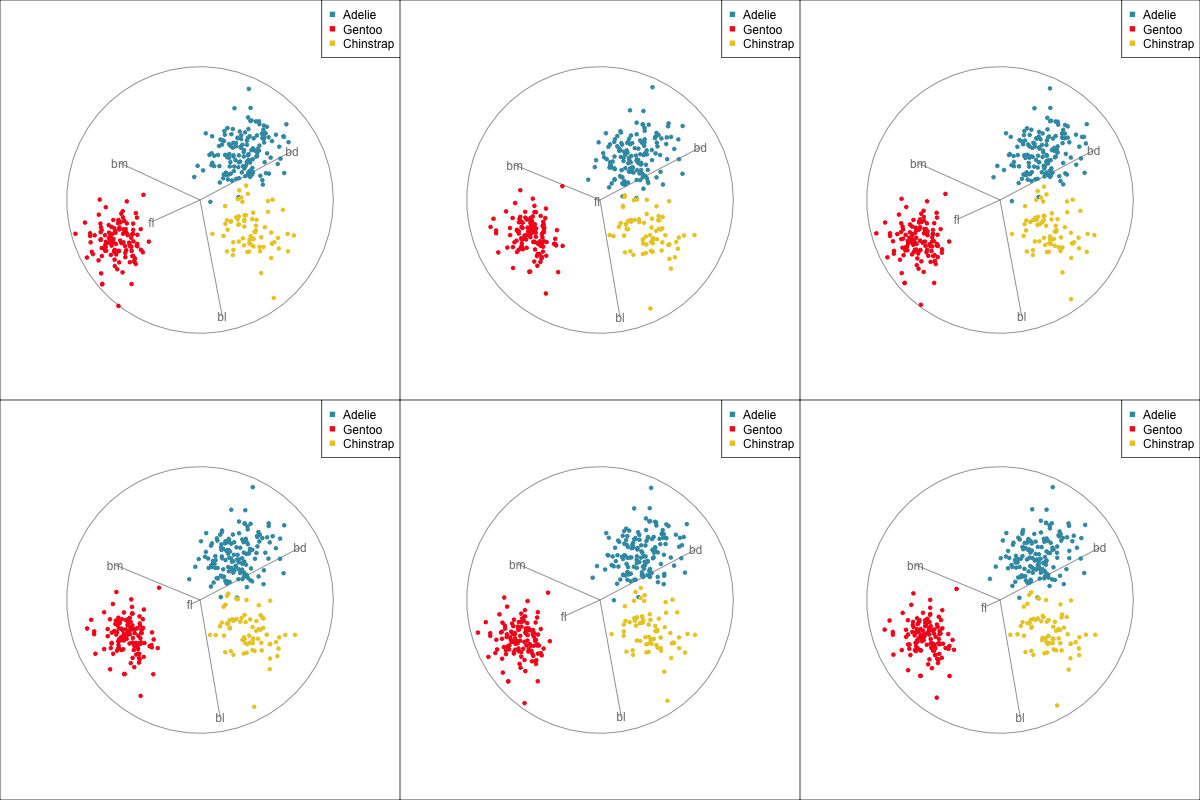
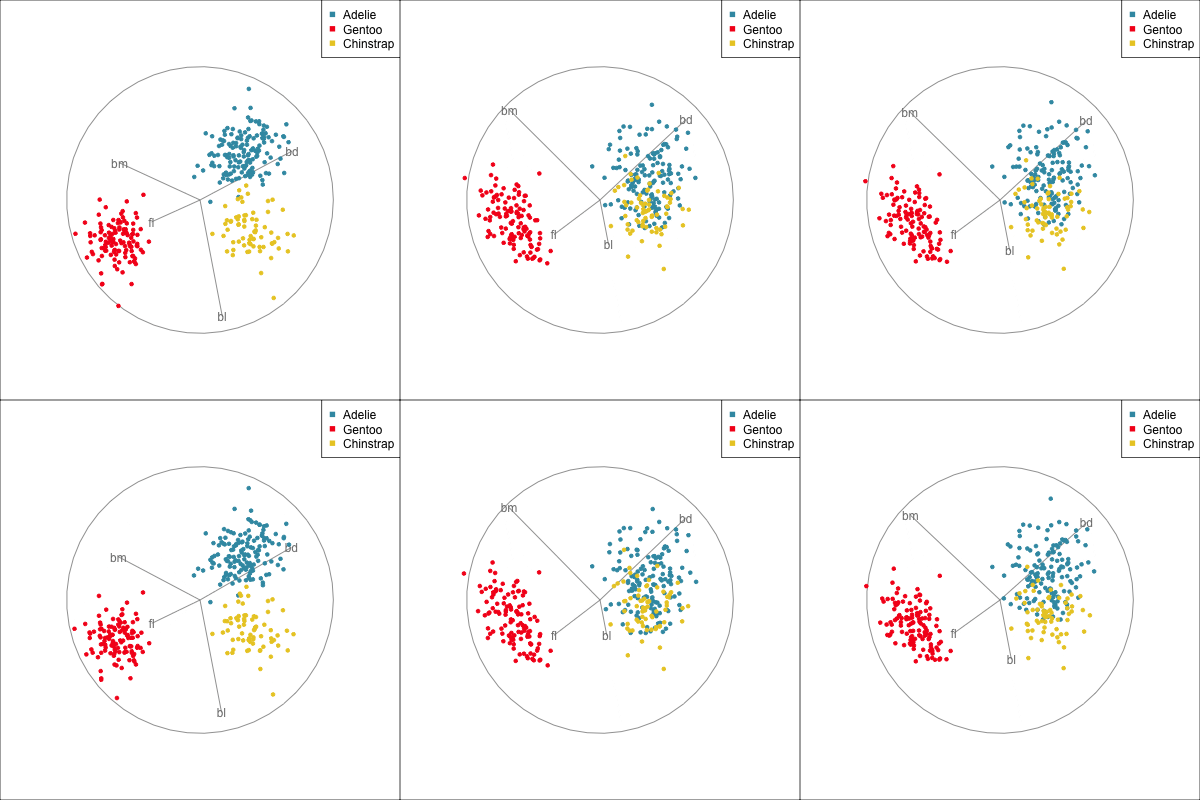
Manual/radial tour
Best projection provided by the guided tour, separating three species.
Removing flipper length
Removing bill length
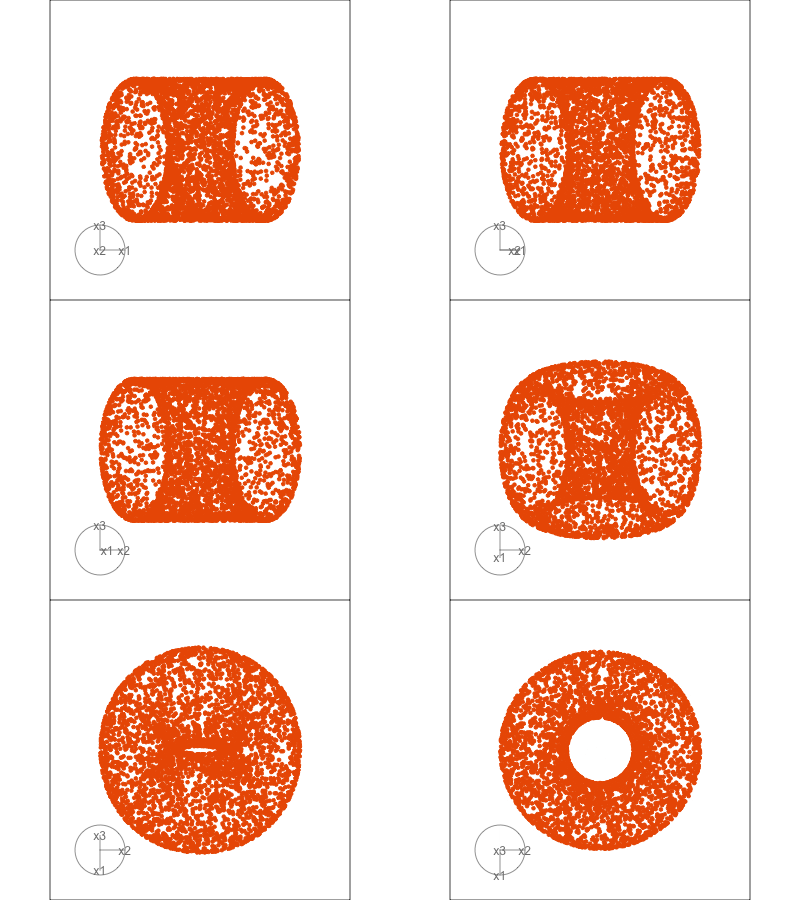
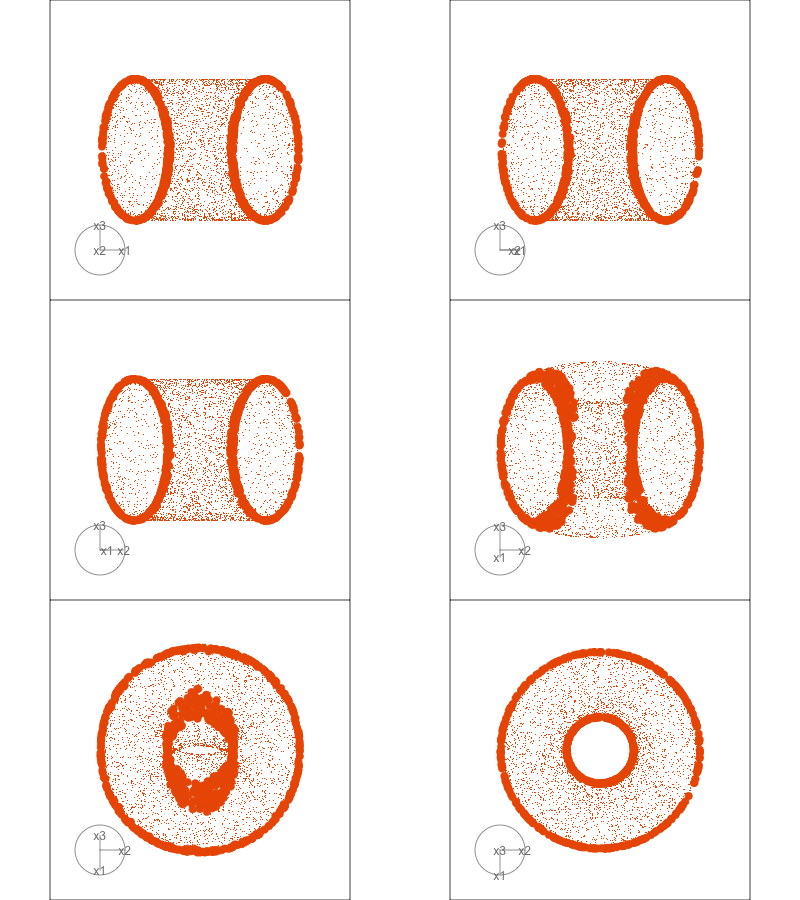
Slice tour (1/2)
Projection
Slice
Slice tour (2/2)
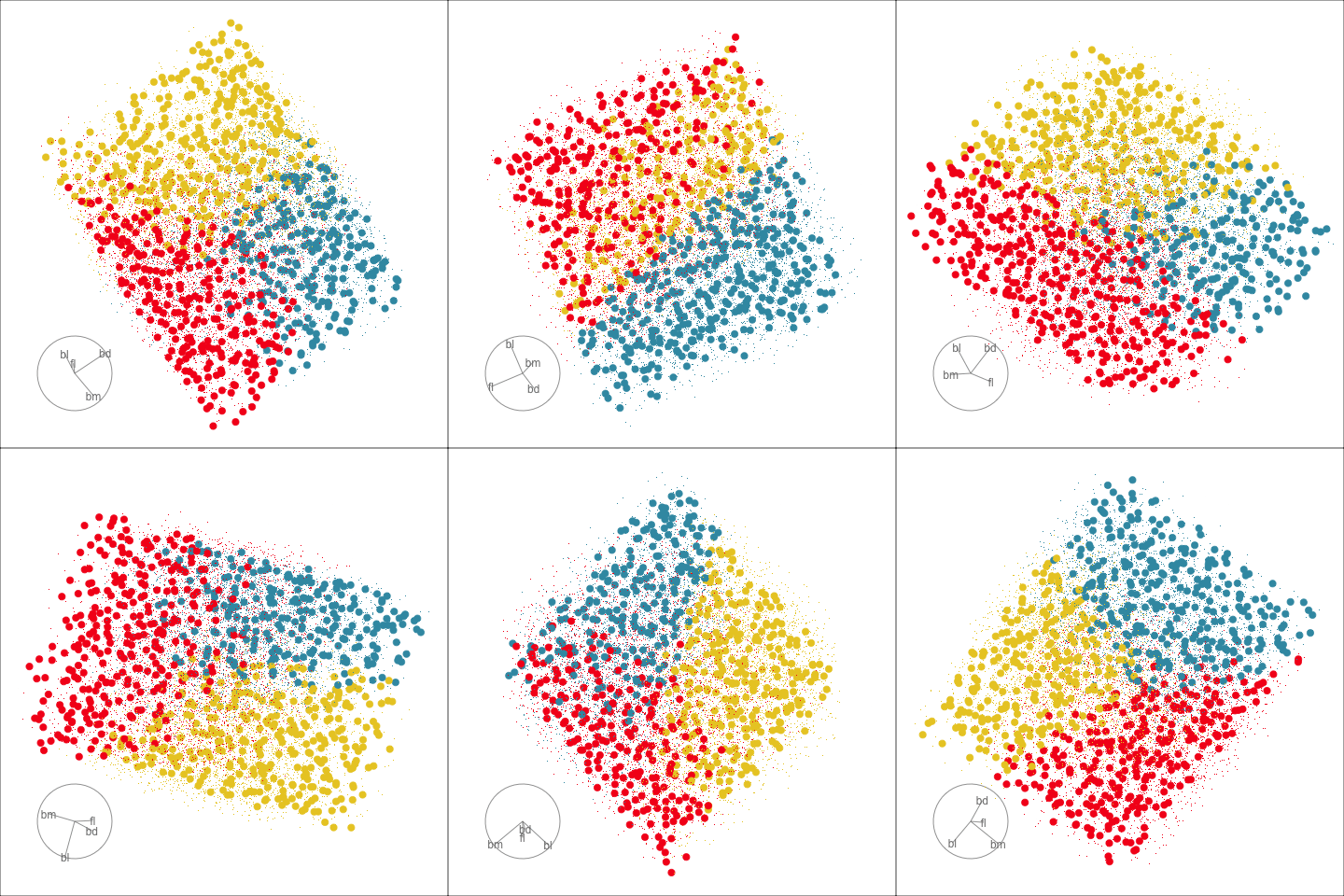
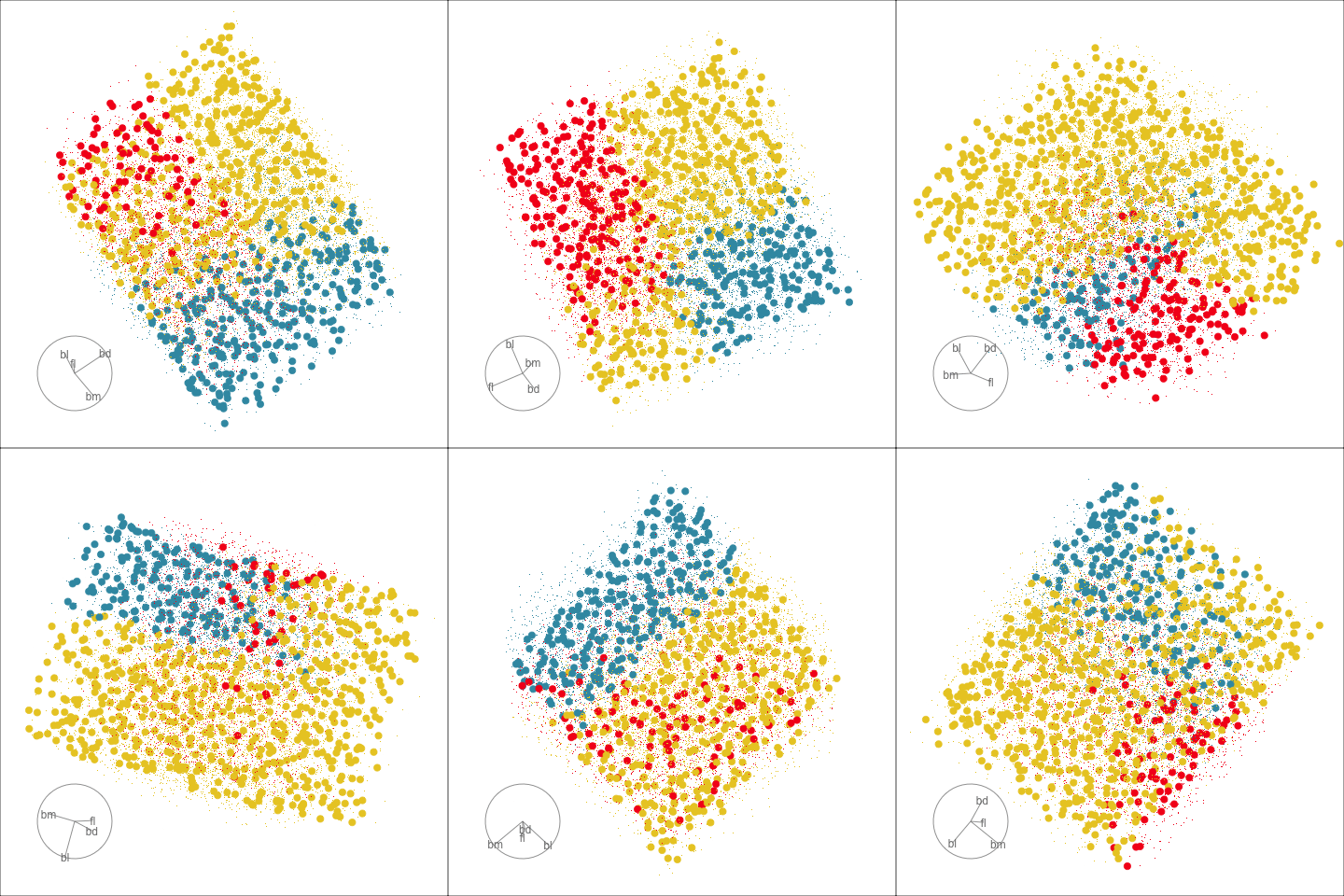
This is especially useful for exploring classification models, comparing boundaries produced by different models. (The same penguins data used here.)
Linear discriminant analysis
Classification tree
Model-based - 2D (1/3)
Code
penguins_BIC <- mclustBIC(penguins_sub[,c(1,3)])
ggmc <- ggmcbic(penguins_BIC, cl=2:9, top=4) +
  scale_color_discrete_divergingx(palette = "Roma") +
  ggtitle("Choose model") +
  theme_minimal()
penguins_mc <- Mclust(penguins_sub[,c(1,3)],
                      G=3,
                      modelNames = "EVE")
penguins_mce <- mc_ellipse(penguins_mc)
penguins_cl <- penguins_sub[,c(1,3)]
penguins_cl$cl <- factor(penguins_mc$classification)
ggell <- ggplot() +
   geom_point(data=penguins_cl, aes(x=bl, y=fl,
                                    colour=cl),
              alpha=0.3) +
   geom_point(data=penguins_mce$ell, aes(x=bl, y=fl,
                                         colour=cl),
              shape=16) +
   geom_point(data=penguins_mce$mn, aes(x=bl, y=fl,
                                        colour=cl),
              shape=3, size=2) +
  scale_color_discrete_divergingx(palette = "Zissou 1")  +
  theme_minimal() +
  theme(aspect.ratio=1, legend.position="none") +
  ggtitle("Best model: EVE")
ggmc + ggell + plot_layout(ncol=2)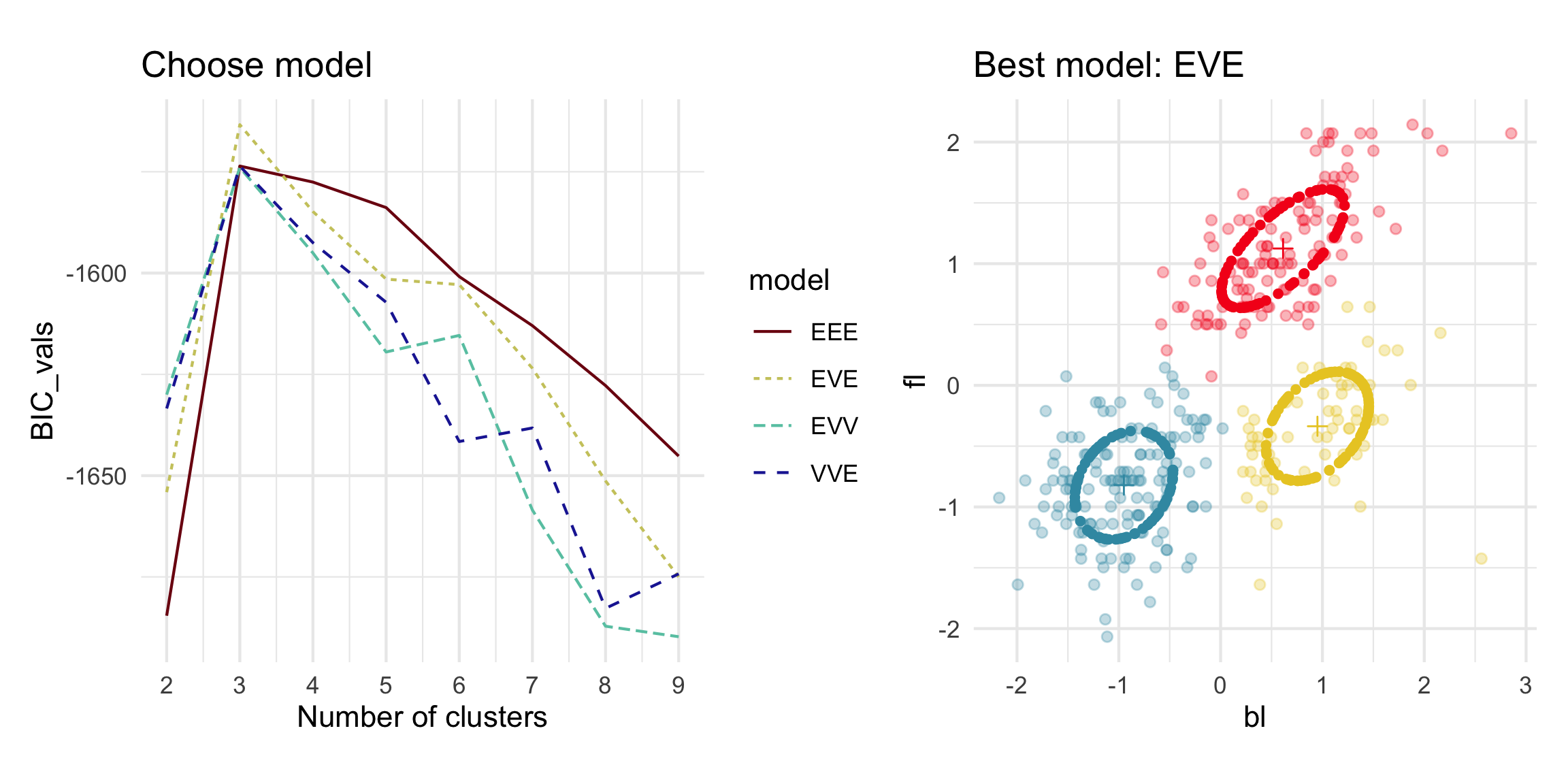
Model-based - 4D (2/3)
Code
penguins_BIC <- mclustBIC(penguins_sub[,1:4])
ggmc <- ggmcbic(penguins_BIC, cl=2:9, top=7) +
  scale_color_discrete_divergingx(palette = "Roma") +
  theme_minimal()
ggmc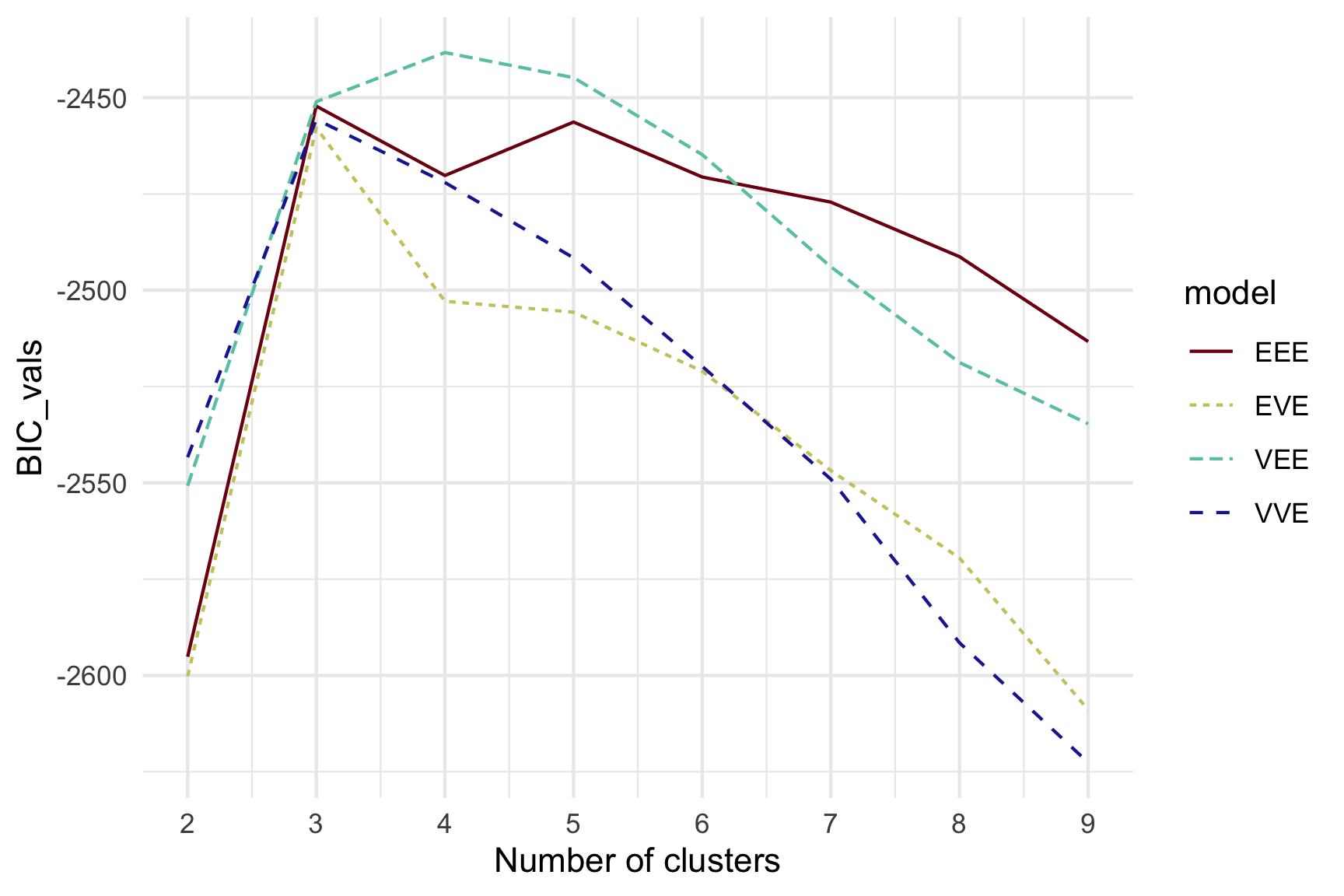
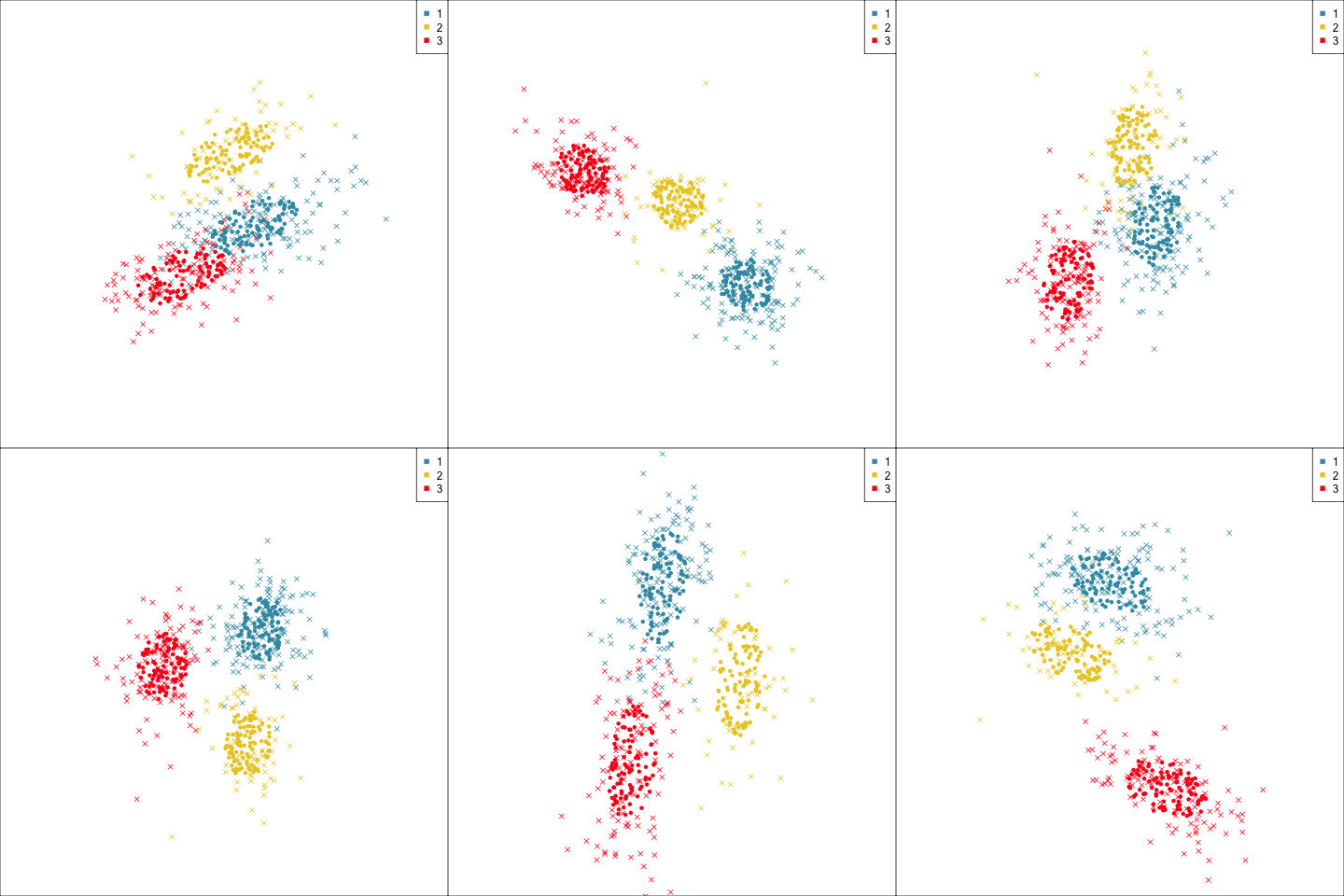
Model-based (3/3) ~~Which fits the data better?
Best model: four-cluster VEE
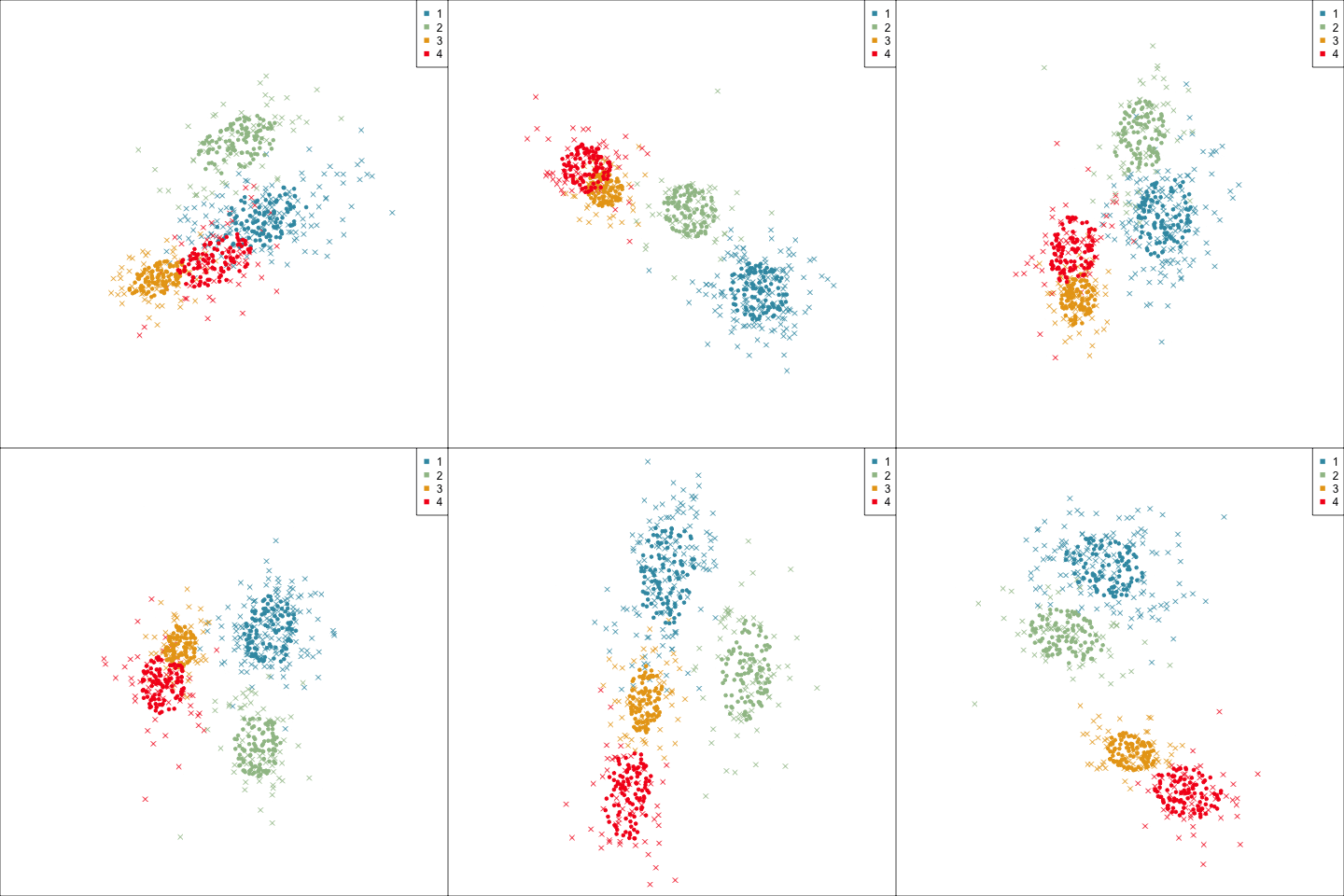
Three-cluster EEE
Adapting to market segmentation (1/2)
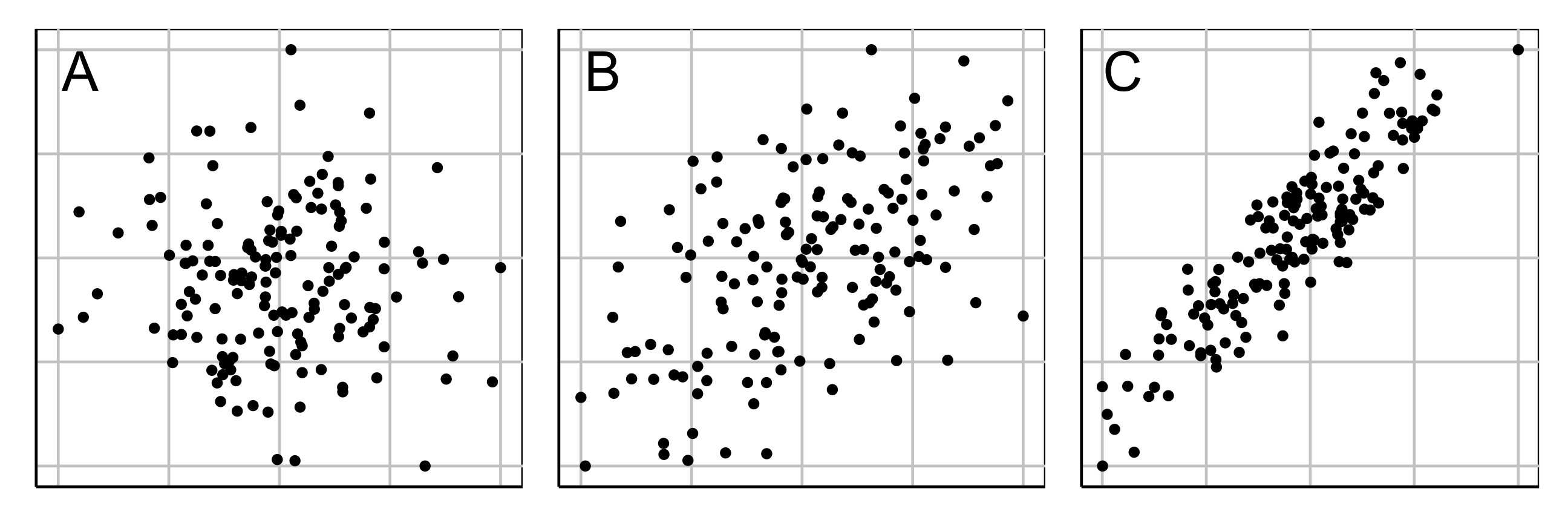
Market segmentation data typically has NO separated clusters. It is a partitioning.
Three different 2D data sets. What is a useful partition?
Adapting to market segmentation (2/2)
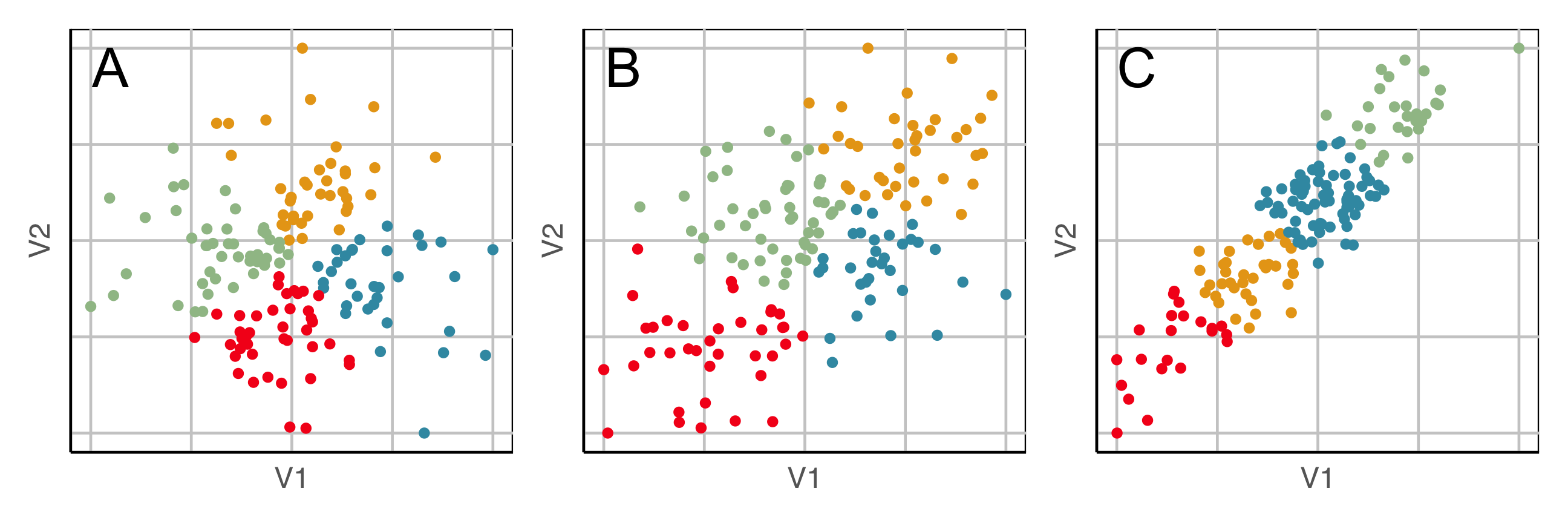
Here we show the model in the data space so we can see where it is partitioning the “blob”.
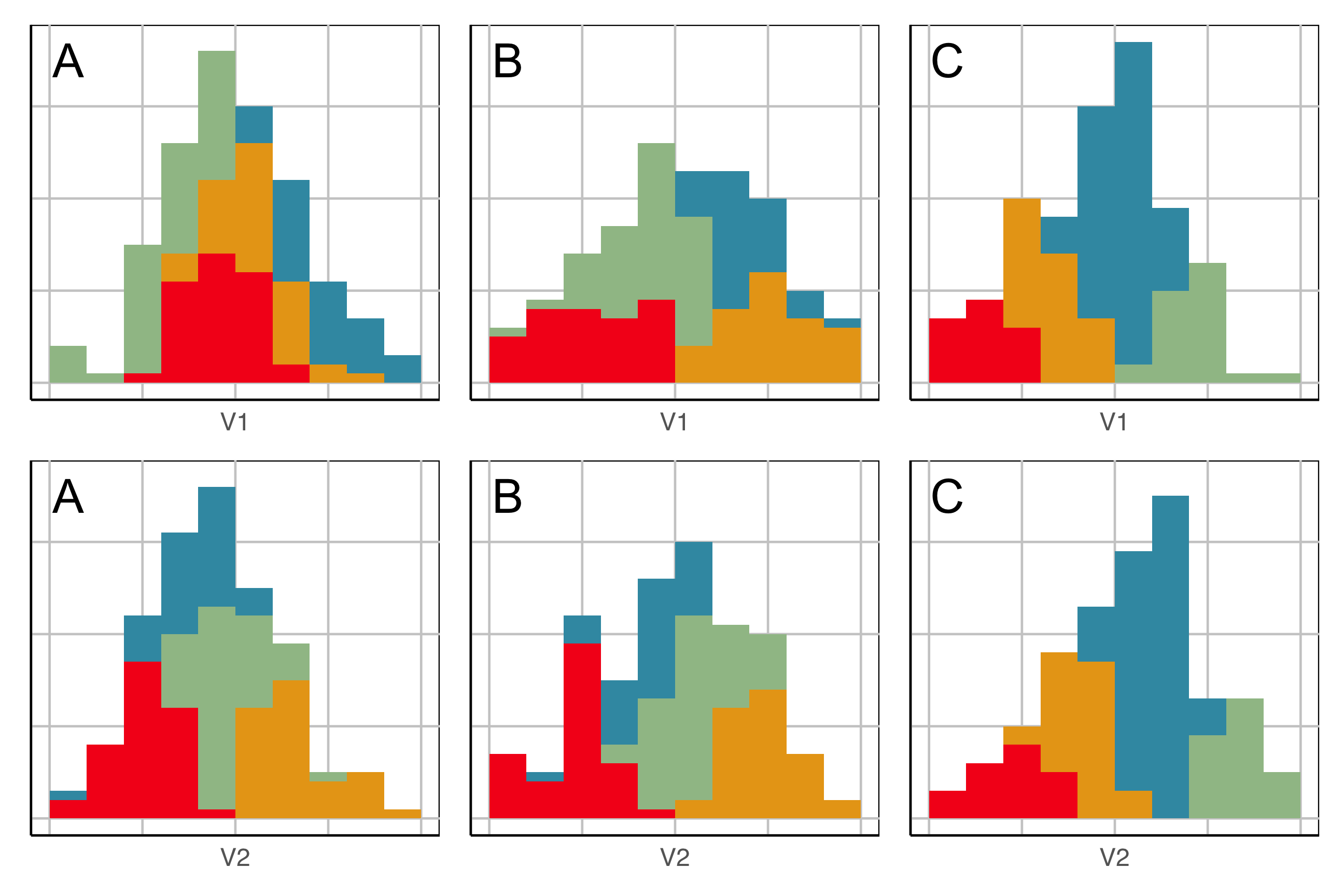
This is what the model looks like in only one variable at a time. You can’t see where it is partitioning.
Example: Tourism in Austria (1/3)
Australian Vacation Activities
- Responses from 1003 adults
- Conducted in 2007
- 44 vacation activities
- Binary response: 1 (yes), 0 (no)
Austrian Winter Activities
- Responses from 2961 adults
- 1997/98 season
- 27 activities: alpine skiing, museums, …
- Binary response: 1 (totally important), 0 (otherwise)
Code
#library(lionfish)
library(pytourr)
#data("ausActiv")
data(winterActiv)
# Animated gif
activities <- colnames(winterActiv)
wa <- winterActiv
colnames(wa) <- paste0("V", 1:27)
wa <- data.frame(wa)

set.seed(340)
render_gif(wa,
           grand_tour(),
           display_xy(half_range=2,
             axes="off"),
           gif_file = "gifs/austrian.gif",
           frames = 300,
           width = 400,
           height = 300,
           loop = FALSE)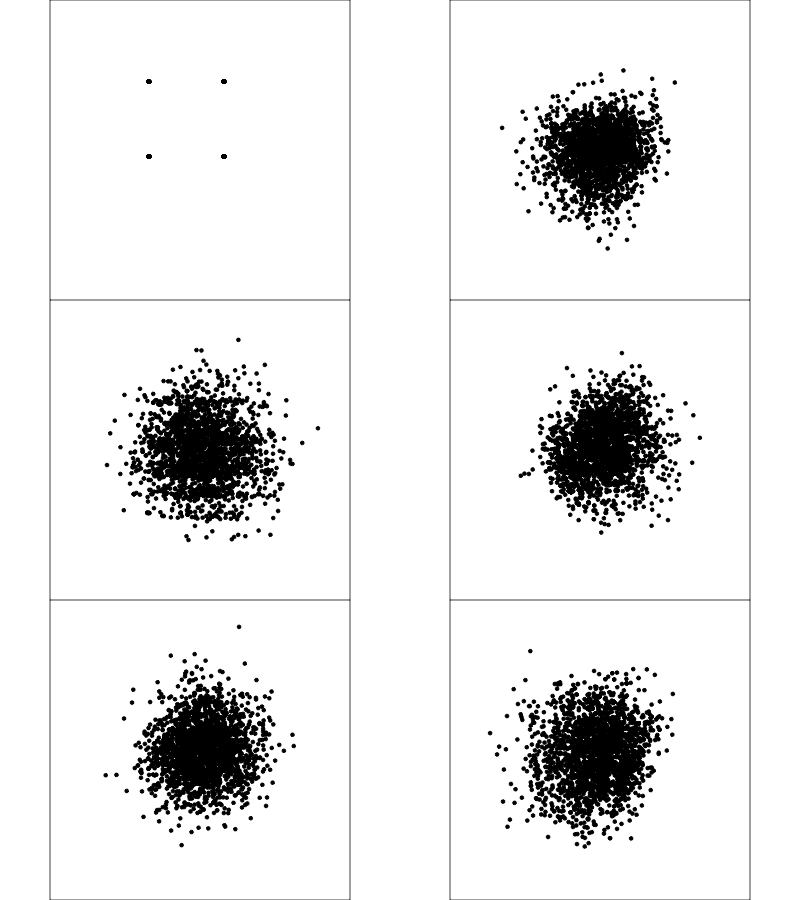
Example: Tourism in Austria (2/3)
Code
# perform initial k-means clustering
set.seed(1234)
wa_cl = kmeans(wa, 6)
wa_all <- wa |>
  mutate(cl = factor(wa_cl$cluster, levels=1:6))
wa_pp <- animate_xy(wa_all[,1:27],
           guided_tour(lda_pp(wa_all$cl)),
           col=wa_all$cl,
           half_range = 2.5,
           axes="off")
set.seed(429)
render_gif(wa_all[,1:27],
           guided_tour(lda_pp(wa_all$cl)),
           display_xy(half_range=2,
             axes="off", col=wa_all$cl),
           gif_file = "gifs/austrian_cl.gif",
           frames = 156,
           width = 400,
           height = 300,
           loop = FALSE)

# Examine just clusters 3 and 6
wa_all_3_6 <- wa_all |>
  filter(cl %in% c(3, 6)) |>
  mutate(cl = factor(cl, labels = c("3", "6")))
set.seed(419)
wa_3_6_t1 <- save_history(wa_all_3_6[,1:27],
                          guided_tour(lda_pp(wa_all_3_6$cl)))
animate_xy(wa_all_3_6[,1:27],
           planned_tour(wa_3_6_t1),
           col=wa_all_3_6$cl,
           half_range = 2.5,
           axes="off")
render_gif(wa_all_3_6[,1:27],
           planned_tour(wa_3_6_t1),
           display_xy(half_range=2,
             axes="off", col=wa_all_3_6$cl),
           gif_file = "gifs/austrian_3_6.gif",
           frames = 149,
           width = 400,
           height = 300,
           loop = FALSE)
wa_sep <- tibble(act = activities,
                 proj = as.vector(wa_3_6_t1[,2,36])) |>
  arrange(desc(proj))

save(wa_sep, file="data/wa_sep.rda")
Result of -means with Euclidean distance into 6 clusters
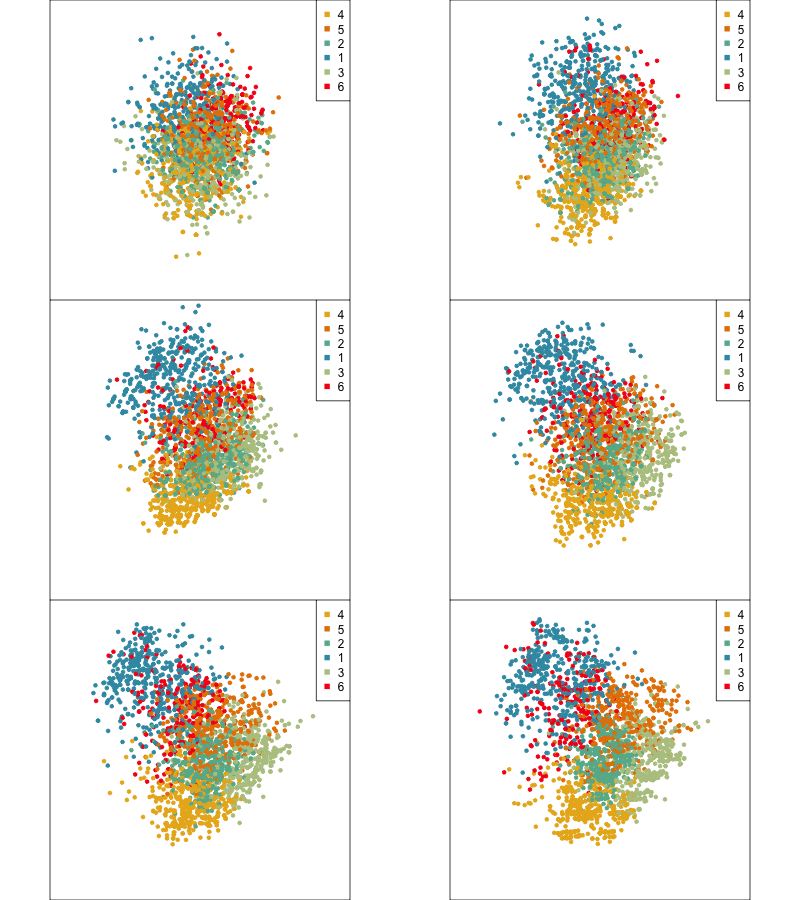
Using a guided tour. There is some hint of the partitioning, when looking at all clusters, but there is too much overlap.
Focus on two clusters only.
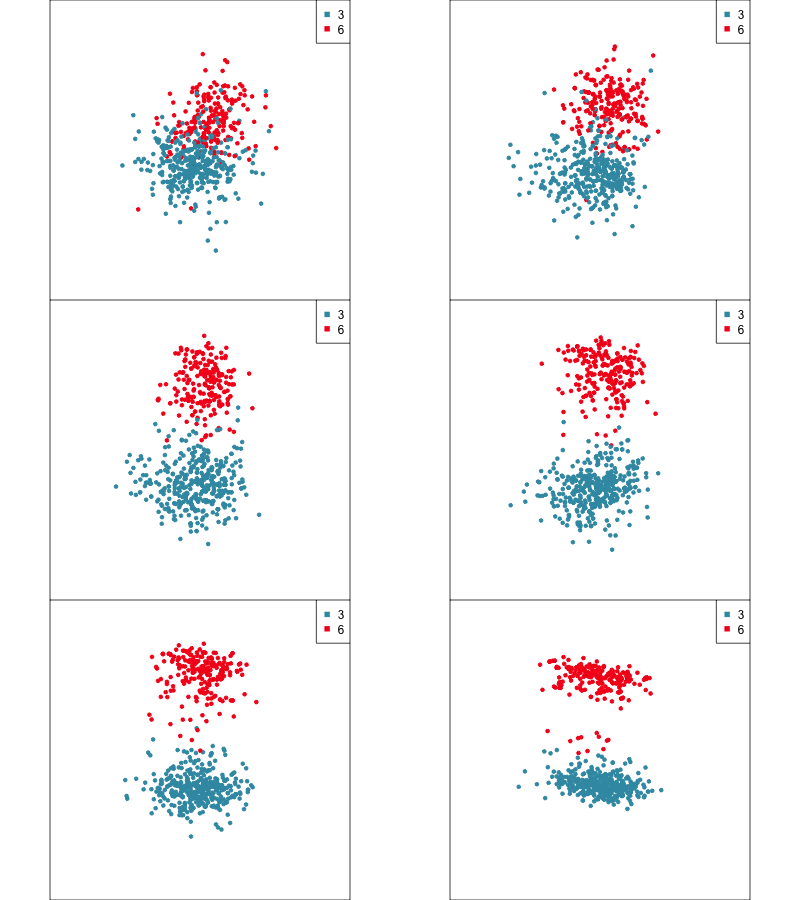
We wouldn’t cluster the data this way, but the clustering algorithms don’t see gaps like we do. See also flexclust for alternative clustering approaches.
Example: Tourism in Austria (3/3)
First find the separation, then examine the combination of variables.
27 variables contributing to projection
Cluster 6 consists of tourists who like going to health facilities and drinking wine.
# A tibble: 5 × 2
  act                       proj
  <chr>                    <dbl>
1 using.health.facilities 0.255
2 heurigen                0.119
3 going.to.a.spa          0.0885
4 organized.excursions    0.0841
5 excursions              0.0728
Cluster 3 consists of tourists who very much like going to a disco or bar.
# A tibble: 5 × 2
  act                    proj
  <chr>                 <dbl>
1 snowboarding         -0.103
2 ski.touring          -0.106
3 theater.opera        -0.119
4 alpine.skiing        -0.214
5 going.to.discos.bars -0.889Berlin challenge
Somewhere in Berlin there is now a little R sticker graffiti!

References and acknowledgements
- Cook and Laa (2025) Interactively exploring high-dimensional data and models in R
- Wickham et al (2015) Visualizing statistical models: Removing the blindfold
- Flatland: A Romance of Many Dimensions (1884) Edwin Abbott
- R packages: tourr, woylier, detourr, liminal, langevitour, lionfish, geozoo.
Slides made in Quarto, with code included.

This work is licensed under a Creative Commons Attribution-ShareAlike 4.0 International License.
Slice
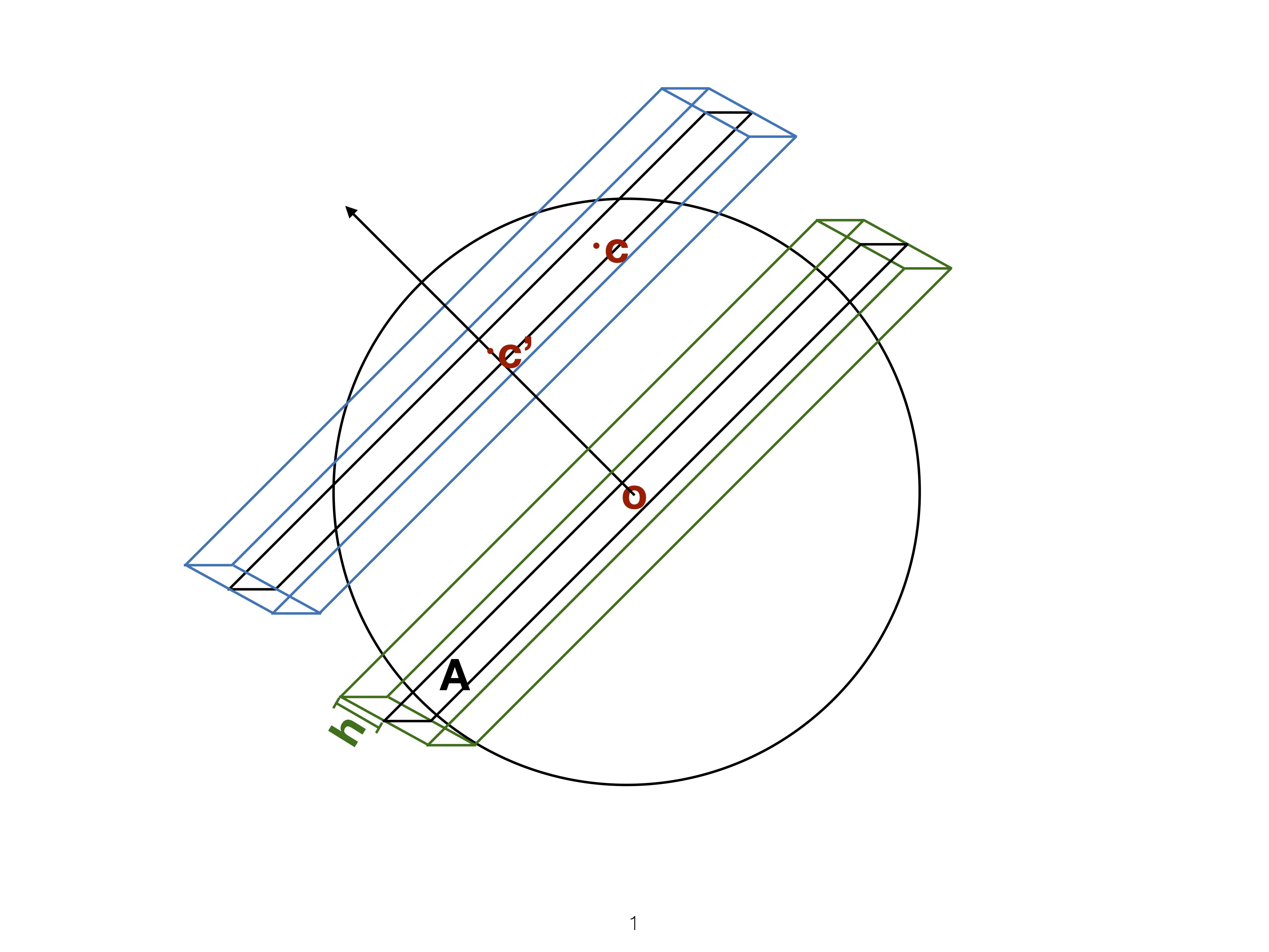
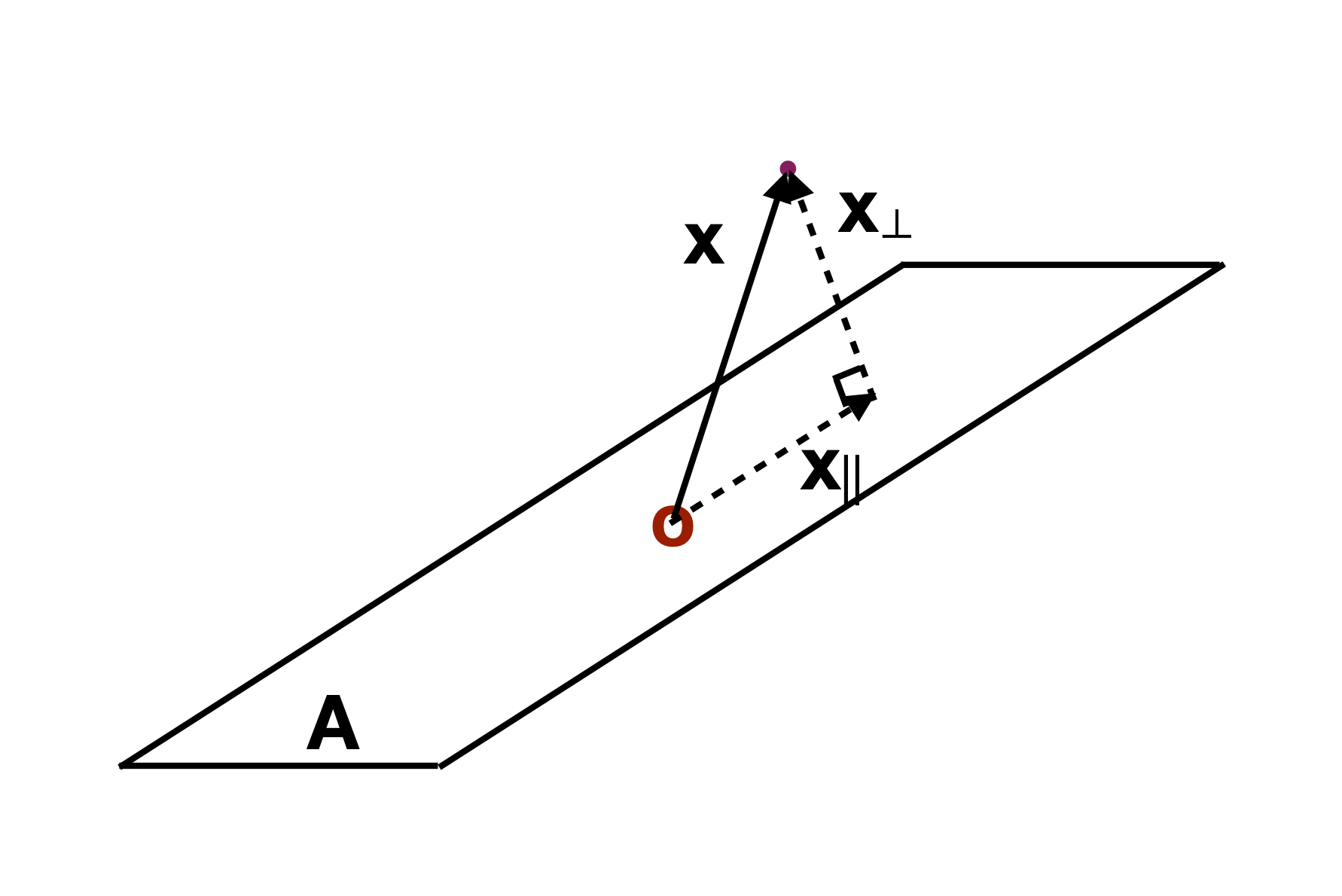
Utilise distance from the projection plane to make the slice, and shift centre of projection plane.
Sage transformation (1/2)
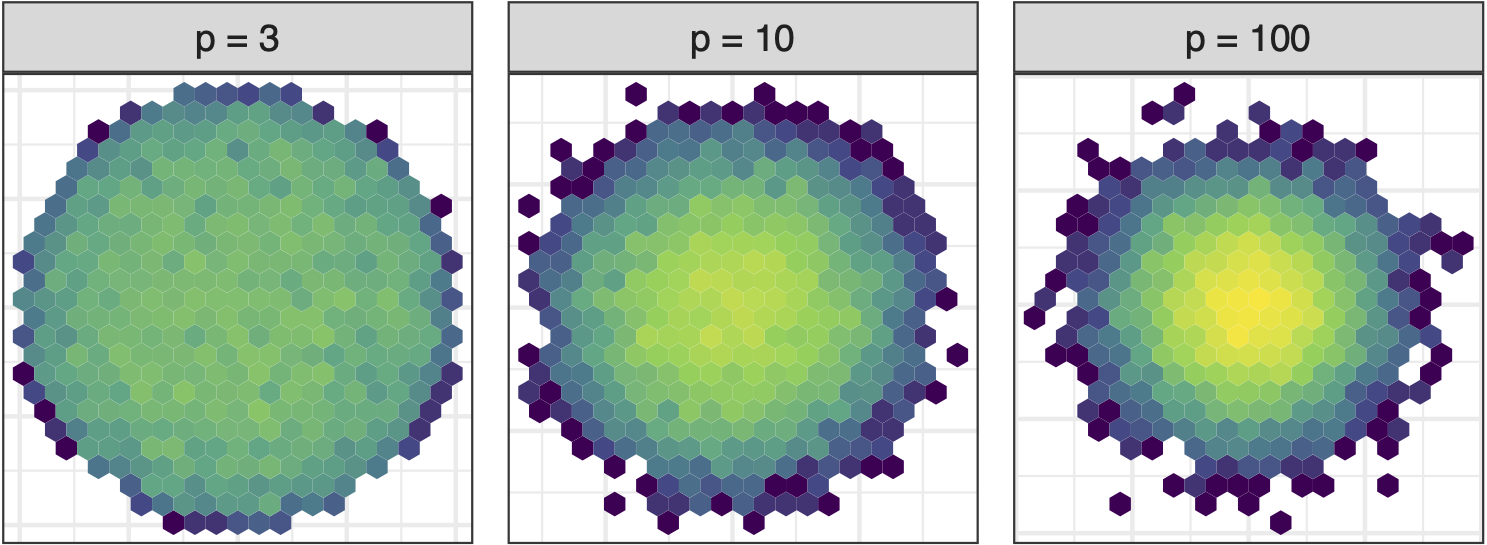
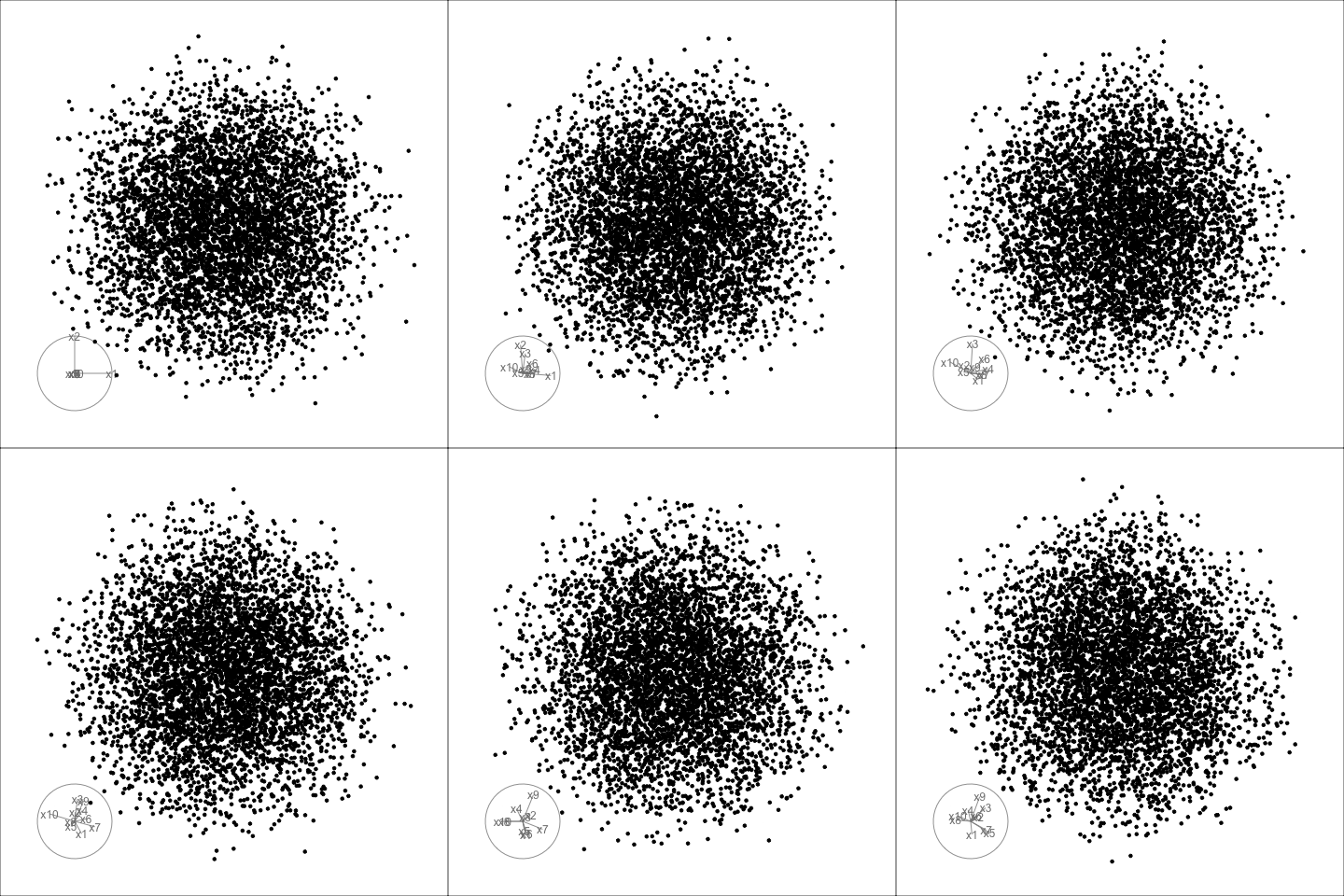
Increase variables, increase concentration, possibly obscuring important structure.
Sage transformation (2/2)
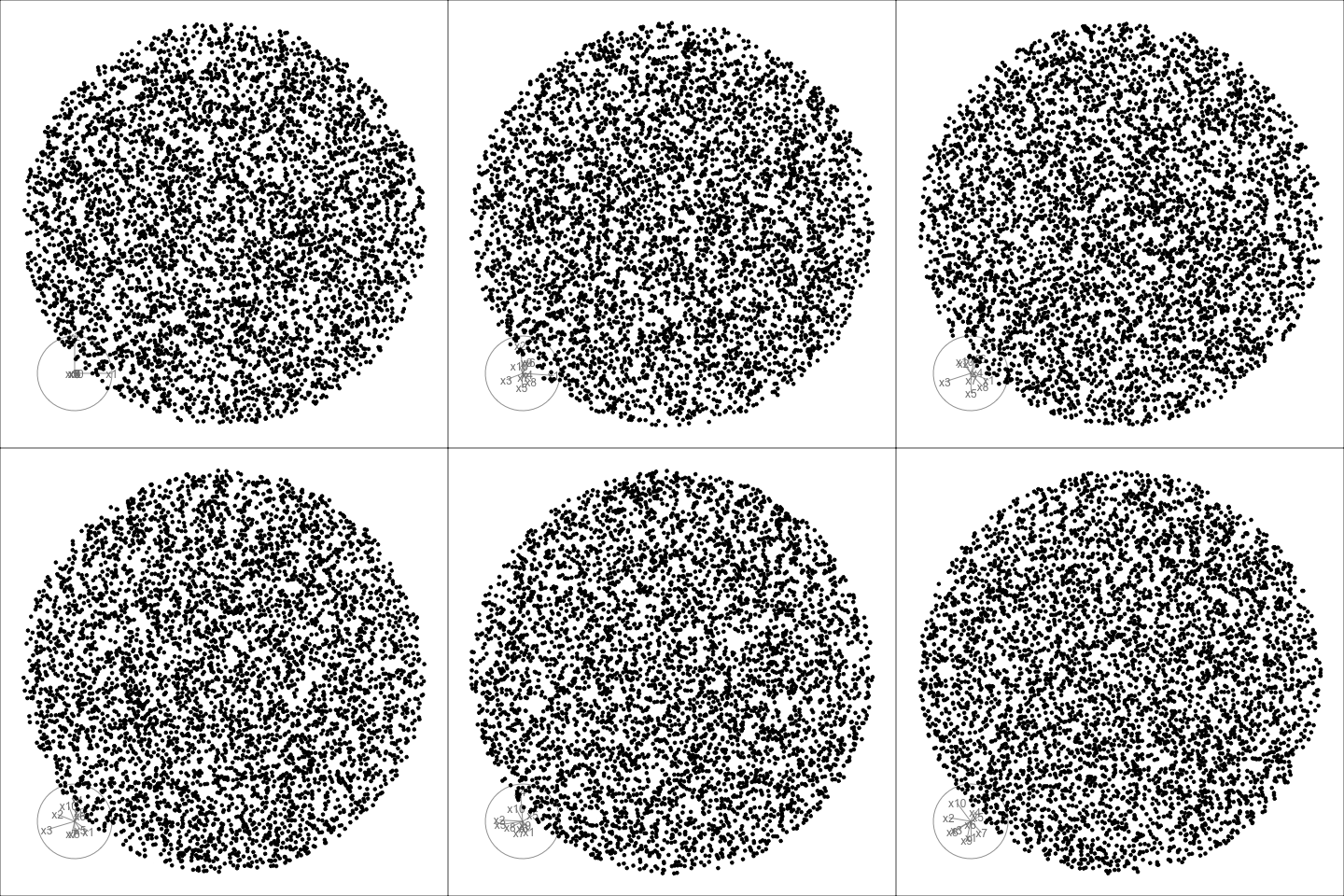
Transformation expands the centre to make a sage display.
Givens (1/2)
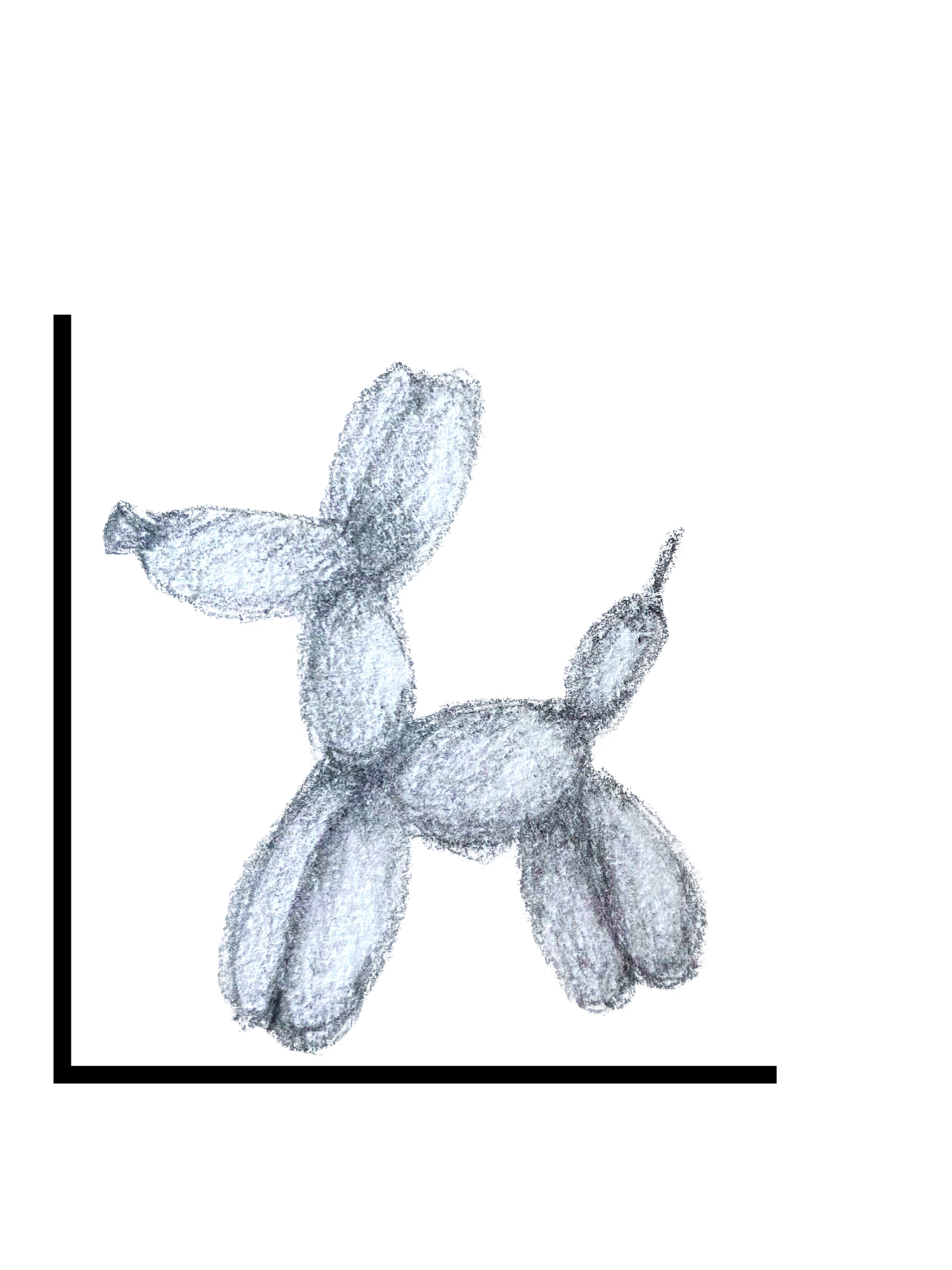
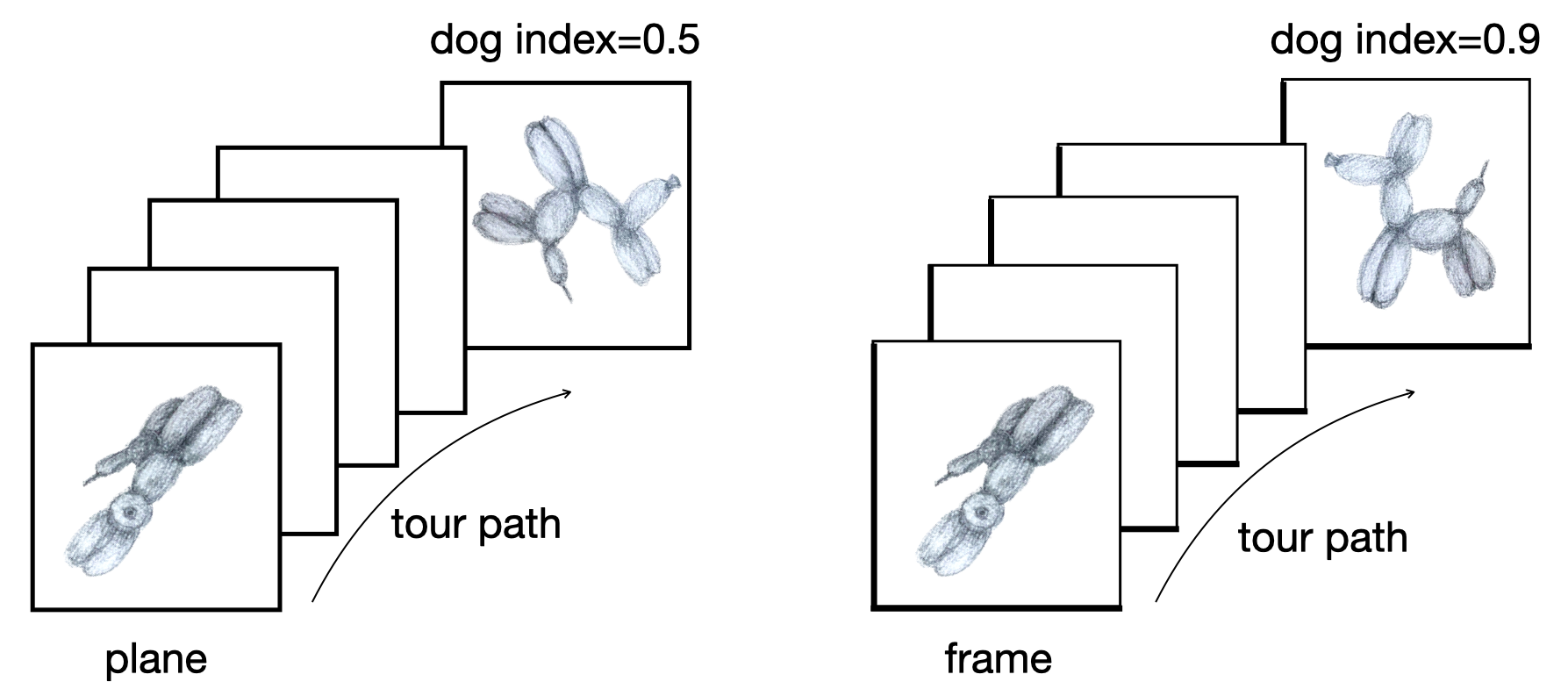
TARGET BASIS (would show dog if we could find)
Givens (2/2)

Givens interpolation ends at requested frame, but geodesic interpolation arrives at the plane, is frame-agnostic, and that is problematic for optimisation using the guided tour.
Summarising clusters
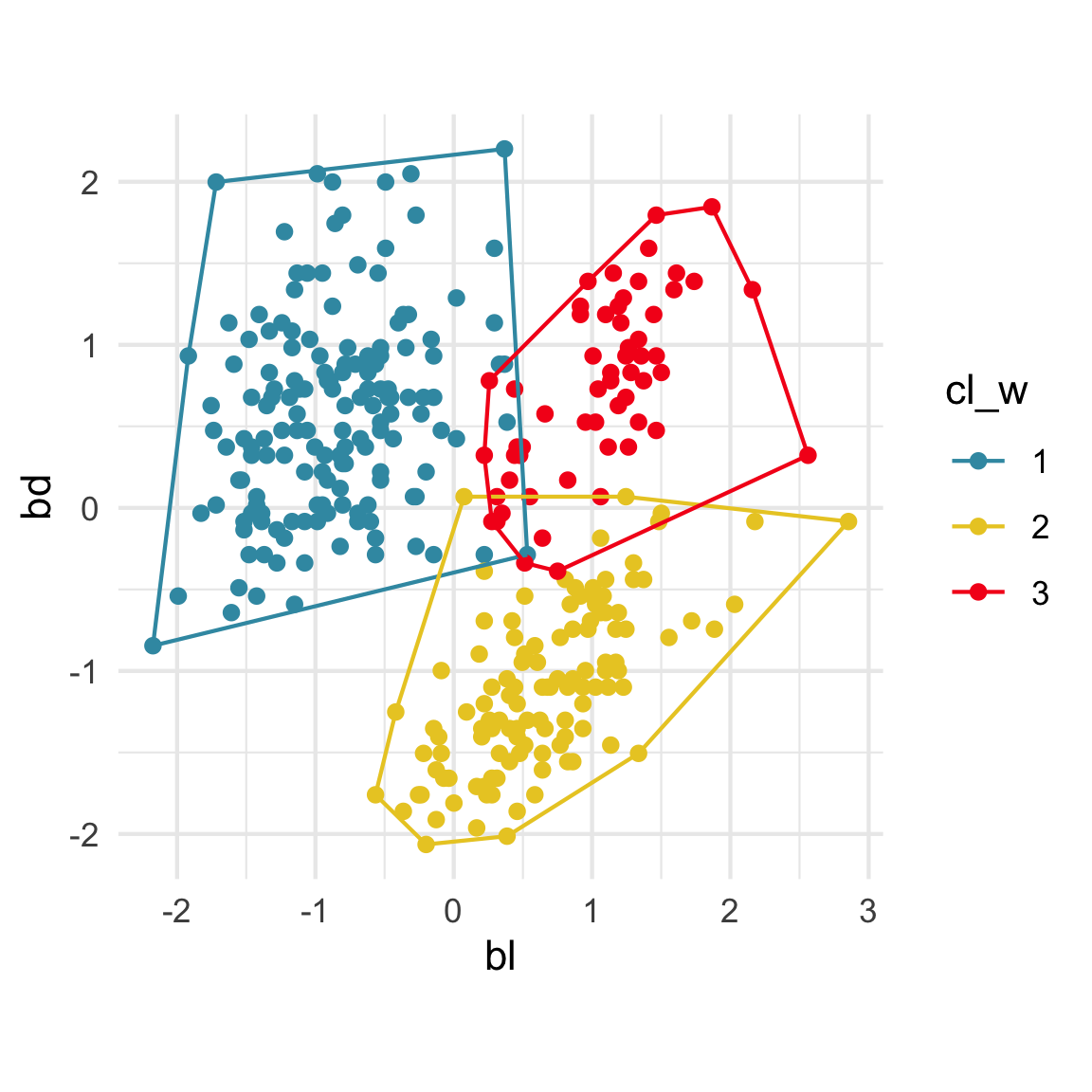
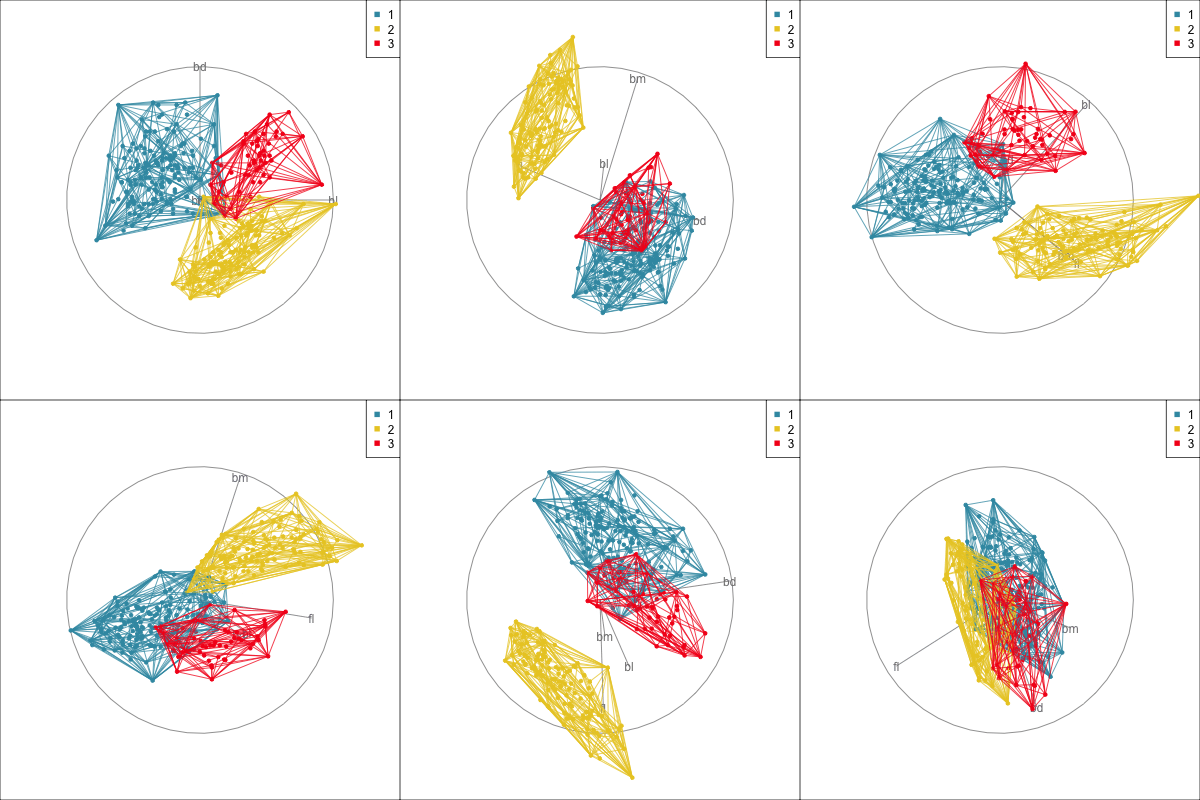
Convex hulls are often used to summarise clusters in 2D. It is possible to view these in high-d, too.
Code
p_dist <- dist(penguins_sub[,1:4])
p_hcw <- hclust(p_dist, method="ward.D2")

p_cl <- data.frame(cl_w = cutree(p_hcw, 3))

penguins_mc <- Mclust(penguins_sub[,1:4],
                      G=3,
                      modelNames = "EEE")
p_cl <- p_cl %>%
  mutate(cl_mc = penguins_mc$classification)

p_cl <- p_cl %>%
  mutate(cl_w_j = jitter(cl_w),
         cl_mc_j = jitter(cl_mc))
Code
p_chull2D